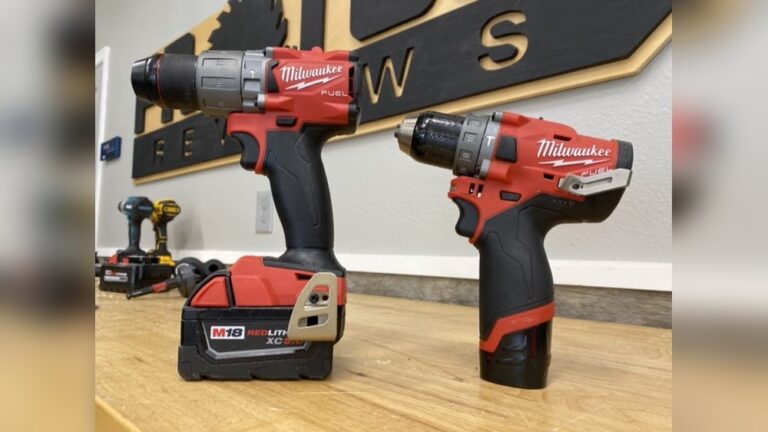
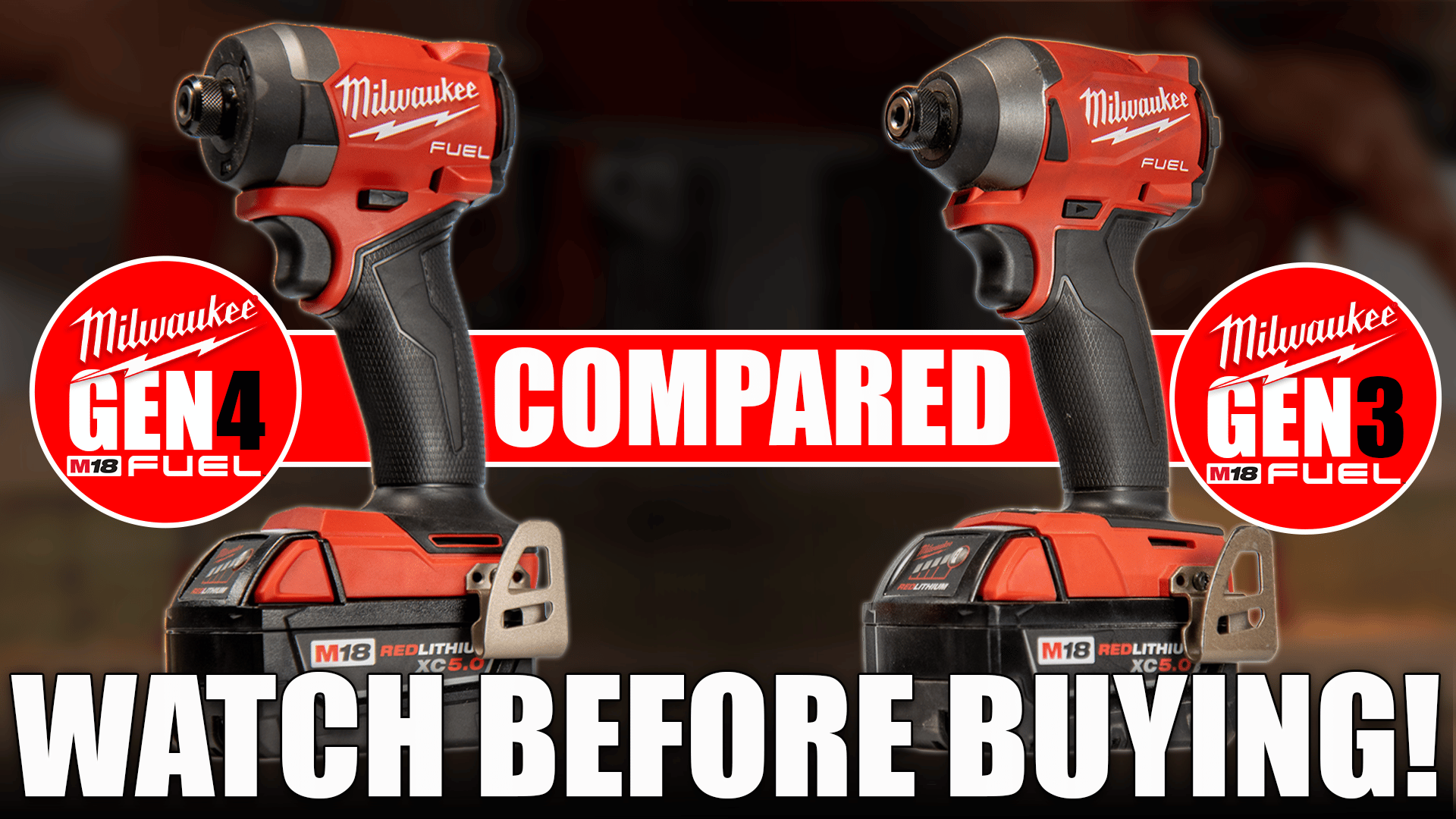
Milwaukee’s hammer drills have a reputation for high performance and reliability among professionals and serious DIY users. If you’re comparing the Gen 3 and Gen 4 Milwaukee Hammer Drill, you’ll notice both are packed with features, but important differences exist. The choice can be confusing: What truly separates these two generations, and which one is right for your needs? This article will guide you through every detail, from specifications and real-world performance to user experience and long-term value. Whether you’re upgrading or buying your first heavy-duty drill, you’ll find clear answers here.
Understanding Milwaukee’s Hammer Drill Generations
Milwaukee is a leader in cordless power tools, and their M18 Fuel hammer drills are often a top pick. Each generation brings updates in technology, design, and performance. The Gen 3 and Gen 4 hammer drills are both part of the M18 Fuel line, but launched several years apart. Knowing what each generation offers helps you make an informed decision.
What Makes A Milwaukee Hammer Drill Special?
Milwaukee’s hammer drills use POWERSTATE™ brushless motors and REDLINK PLUS™ intelligence. These features give more power, better protection, and longer life. Both Gen 3 and Gen 4 use these technologies, but they are tuned differently.
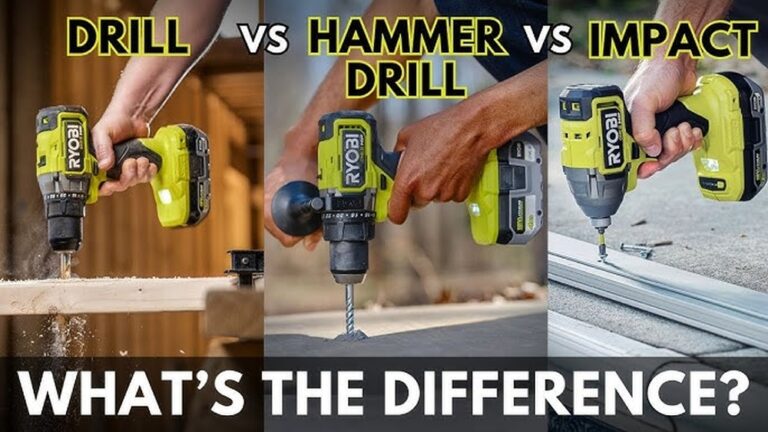
A hammer drill is not just a regular drill. It adds a pounding action, making it ideal for drilling into concrete, brick, and stone. If you often work with tough materials, a hammer drill is essential.
Milwaukee Gen 3 Hammer Drill: Detailed Overview
The Milwaukee M18 Fuel Gen 3 Hammer Drill (model 2804-20) came out in 2018. It quickly became a favorite for its mix of power and compact size.
Key Features Of Gen 3
- Compact design: Only 6.9 inches long, making it easy to use in tight spaces.
- High torque: Up to 1,200 in-lbs of torque – strong enough for demanding tasks.
- Speed: Two speed settings, with a top speed of 2,000 RPM.
- Hammer mode: Delivers up to 32,000 blows per minute (BPM).
- All-metal chuck: Durable, holds bits securely.
- Weight: Around 3.2 lbs (tool only, no battery).
- REDLINK PLUS™ Intelligence: Prevents overheating and overload.
- LED light: Illuminates the work area.
Real-world Performance
Users praise the Gen 3 for being powerful yet compact. It handles concrete, masonry, and thick wood without slowing down. Many electricians and plumbers like the Gen 3 because it fits between studs and joists where space is tight.
The Gen 3 is also known for smooth operation and long battery life, especially with Milwaukee’s 5.0Ah or 6.0Ah batteries. For most users, it’s more power than they need. However, some noticed the tool can get warm during heavy drilling in concrete.
Advantages Of Gen 3
- Excellent power-to-size ratio
- Reliable for heavy-duty jobs
- Affordable since Gen 4’s launch
Limitations Of Gen 3
- Slightly less advanced electronics compared to Gen 4
- No anti-kickback technology
- Not the absolute fastest in very tough masonry
Milwaukee Gen 4 Hammer Drill: Detailed Overview
The Milwaukee M18 Fuel Gen 4 Hammer Drill (model 2904-20) was launched in 2022. It builds on Gen 3’s strengths, adding new features and more power.
Key Features Of Gen 4
- Shorter length: Only 6.9 inches, but with improved ergonomics.
- Higher torque: Up to 1,400 in-lbs of torque – about 16% more than Gen 3.
- Faster drilling: Up to 2,100 RPM top speed.
- Hammer mode: Delivers up to 33,000 BPM, making it faster in concrete.
- AutoStop™ control: Anti-kickback technology protects the user if the bit binds.
- All-metal chuck: Even more grip strength and durability.
- Weight: Around 3.3 lbs (tool only).
- Improved REDLINK PLUS™: Smarter electronics for better tool protection.
- Brighter LED light: Better visibility in dark areas.
Real-world Performance
The Gen 4 is noticeably more powerful and faster than Gen 3, especially in concrete drilling. The AutoStop™ feature is a big safety improvement. If the drill bit catches, the tool shuts off quickly, reducing the chance of wrist injury. Tradespeople who often drill large holes in masonry or metal say the Gen 4 feels more stable under load.
Battery life is similar to Gen 3, but the Gen 4 uses power more efficiently during tough jobs. The improved grip and slightly better balance make it comfortable for longer use.
Advantages Of Gen 4
- More power and speed
- AutoStop™ increases safety
- Better for heavy-duty, high-volume work
- Latest electronics for longer tool life
Limitations Of Gen 4
- Slightly heavier
- Higher price due to new features
- May be overkill for light users
Milwaukee Gen 3 Vs Gen 4: Side-by-side Comparison
A clear, direct comparison makes it easier to spot the differences. Here’s a detailed look at the most important specs and features:
| Feature | Gen 3 (2804-20) | Gen 4 (2904-20) |
|---|---|---|
| Length | 6.9 in | 6.9 in |
| Torque | 1,200 in-lbs | 1,400 in-lbs |
| Max RPM | 2,000 | 2,100 |
| Max BPM | 32,000 | 33,000 |
| Weight (tool only) | 3.2 lbs | 3.3 lbs |
| Anti-Kickback | No | Yes (AutoStop™) |
| LED Light | Standard | Brighter, improved |
| Chuck | All-metal | All-metal, improved grip |
| Electronics | REDLINK PLUS™ | Advanced REDLINK PLUS™ |
| Price (bare tool) | Lower (since Gen 4 release) | Higher |
Key Observations
- Gen 4 is more powerful: 16% increase in torque and faster drilling speeds.
- Safety: Gen 4 adds AutoStop™, a major safety boost.
- Price: Gen 3 is now more affordable, making it attractive for budget buyers.
Real-world Drilling: Performance In Wood, Metal, And Masonry
Both generations are made for demanding work, but the Gen 4’s improvements are clear in certain tasks.
Drilling In Wood
Most users won’t notice a big difference in wood. Both drills can handle large spade and hole saw bits with ease. However, Gen 4’s extra torque helps when drilling through thick timber or using big auger bits.
Drilling In Metal
Drilling steel or aluminum with larger bits is smoother on Gen 4. The higher speed and torque mean less bogging down, especially when using step bits or hole saws. The AutoStop™ also gives peace of mind if the bit grabs.
Drilling In Concrete And Masonry
Here, Gen 4 stands out. The higher BPM (33,000) and torque result in faster drilling with less strain. Contractors drilling multiple anchors per day in concrete blocks will finish jobs faster with Gen 4.
For occasional use (a few holes in brick or block), Gen 3 is still more than enough.
Ergonomics And User Comfort
Tool comfort is not just about weight – grip shape, balance, and vibration matter too.
Gen 3 Ergonomics
- Slim handle fits most hands well
- Lightweight, easy to maneuver
- Some users report more vibration during heavy hammer drilling
Gen 4 Ergonomics
- Improved grip with better rubber overmold for non-slip use
- Slightly heavier, but better weight distribution
- Reduced vibration, making it easier for long drilling sessions
Long-term users say Gen 4 is less tiring when doing a lot of repetitive drilling. The improved balance means less wrist strain.
Advanced Features Breakdown
Some improvements in Gen 4 aren’t obvious at first glance, but they make a real difference for professionals.
Autostop™ Anti-kickback
This is a standout feature in Gen 4. If the drill bit jams or binds, the tool senses the sudden stop and cuts power instantly. This reduces the risk of wrist injuries, which are common with high-torque drills. For anyone drilling large holes or in tough material, this is a major safety upgrade.
Redlink Plus™ Electronics
Both generations use Milwaukee’s smart electronics to prevent overheating, overloading, and over-discharge. Gen 4’s system is more advanced, reacting faster to issues. This helps protect both the drill and the battery, especially in harsh job site conditions.
Improved Led Lighting
Gen 4’s LED is not just brighter; it has a wider spread, making it easier to see the whole work area. This small change is appreciated by those who work in dim spaces.
Battery Compatibility And Runtime
Both Gen 3 and Gen 4 use the M18 battery platform. Any M18 battery works, from the compact 2.0Ah to the high-capacity 12.0Ah packs.
Runtime Comparison
With the same battery, Gen 4 sometimes finishes tough jobs with less charge used. This is due to more efficient electronics and motor design.
For most drilling jobs:
- With a 5.0Ah battery, expect 60-80 standard holes in wood, or 20-30 holes in concrete (1/4” bit) per charge on either drill.
- For the heaviest workloads, Gen 4’s efficiency shows a slight edge.
Practical Tip
If you’re upgrading from Gen 3 to Gen 4, you don’t need new batteries. But using higher-capacity batteries (5. 0Ah or 6. 0Ah) is recommended for both drills when doing masonry or hole saw work.
Credit: vcgconstruction.com
Durability And Maintenance
Milwaukee drills are known for toughness, but small design changes can affect longevity.
Gen 3 Durability
- Proven track record after years in the field
- All-metal chuck holds up well
- Some users report chuck loosening over time with heavy use (a common issue in all hammer drills)
Gen 4 Durability
- Improved chuck with tighter grip and less wobble
- Better dust and water resistance due to updated seals
- Electronics better protected against voltage spikes and drops
Both models require little maintenance – keep the chuck clean and check for wear on the bit holder and trigger.
Price, Value, And Long-term Cost
The cost difference between Gen 3 and Gen 4 is noticeable, especially when bought as a bare tool.
Current Pricing (2024)
- Gen 3: $120–$150 (bare tool)
- Gen 4: $160–$200 (bare tool)
Kits with batteries and chargers add $100–$200, depending on battery size.
Value For Money
- Gen 3: Best for those who want Milwaukee quality at a lower price, and don’t need the newest tech.
- Gen 4: Worth it for professionals or anyone drilling into tough material often, where safety and speed matter.
Hidden Costs
- Replacement chucks or repairs: Gen 4’s improved chuck should last longer.
- Wrist injuries: The safety features in Gen 4 could prevent costly medical bills or lost work time.

Credit: www.youtube.com
Common Buyer Mistakes (and How To Avoid Them)
- Overbuying power: Not everyone needs the absolute highest torque. If you only drill wood and light masonry, Gen 3 is more than enough.
- Ignoring safety: If you often drill large holes or work in awkward positions, Gen 4’s AutoStop™ is worth the extra cost.
- Wrong battery choice: Using small batteries (below 4.0Ah) limits both models’ performance, especially in hammer mode.
- Not considering tool weight: Gen 4 is slightly heavier, which can matter for overhead work.
Who Should Buy Gen 3?
- DIY users who want professional quality without the highest price
- Electricians, plumbers, and carpenters who mostly drill in wood or metal, with occasional masonry
- Users upgrading from much older Milwaukee drills
Who Should Buy Gen 4?
- Professionals who drill into concrete, brick, or heavy gauge steel daily
- Anyone needing the safest, most advanced drill Milwaukee offers
- Users who have experienced bit binding or wrist injuries before
Longevity And Future-proofing
Both drills will last years with proper care, but Gen 4 has a slight edge due to better electronics and chuck design. Milwaukee’s M18 platform is not going away, so future battery compatibility is assured.

Credit: www.youtube.com
Insights Most Beginners Miss
- Anti-kickback is not just a “nice to have”: Many users learn the hard way that bit binding can hurt. Gen 4’s AutoStop™ really can prevent injury, especially with large bits or in awkward angles.
- Drill speed matters for masonry: The extra BPM and RPM in Gen 4 make a big difference when drilling many anchor holes in concrete. Beginners often think all hammer drills feel the same, but pros notice faster work and less fatigue.
Summary Table: Which Model Fits Your Needs?
To help you decide quickly, here’s a simple decision guide:
| User Type | Gen 3 | Gen 4 |
|---|---|---|
| DIY/Homeowner | Best choice | Overkill |
| General Contractor | Good (unless heavy masonry) | Recommended |
| Masonry Pro | Acceptable | Best choice |
| Electrician/Plumber | Excellent | Excellent |
| Budget Buyer | Ideal | Only if needed |
Frequently Asked Questions
What Is The Main Difference Between Gen 3 And Gen 4 Milwaukee Hammer Drill?
The biggest differences are higher torque, faster drilling speed, and the AutoStop™ anti-kickback technology in Gen 4. Gen 4 is safer and faster, especially for tough jobs in masonry or metal.
Are Gen 3 And Gen 4 Milwaukee Hammer Drills Compatible With The Same Batteries?
Yes, both use Milwaukee M18 batteries. You can use any M18 battery pack with either drill, but bigger (5.0Ah or higher) batteries give better performance for heavy tasks.
Is The Extra Price Of Gen 4 Worth It For Home Users?
For most home users, Gen 3 is enough. If you only drill wood, metal, or occasional masonry, you don’t need the extra power or safety features of Gen 4. Choose Gen 4 if you want the latest tech or maximum safety.
Does Gen 4 Have Better Durability Than Gen 3?
Yes. Gen 4 has an improved chuck and better electronic protection, which help it last longer under heavy use. Both are built tough, but Gen 4 is more advanced.
Where Can I Find More Technical Information And User Reviews?
You can find detailed specs and user feedback on Milwaukee’s official website.
The decision between Gen 3 and Gen 4 Milwaukee Hammer Drills comes down to your needs, budget, and how often you tackle tough jobs. Both offer industry-leading quality and power, but Gen 4 raises the bar for safety and performance.
Pick the model that fits your work style, and you’ll have a tool that serves you well for years.