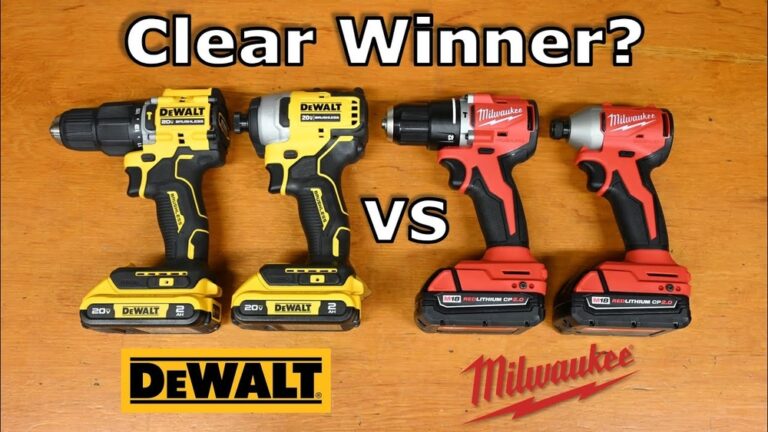
If you walk into any hardware store, you’ll likely notice two tools that look similar: the Ryobi drill driver and the Ryobi impact driver. At a glance, they may seem almost identical—each with a pistol grip and a rotating head for inserting screws or drilling holes. But under the surface, these tools are designed for different jobs. Picking the right one can make your work much easier, save time, and even prevent damage to your materials or tools.
People often buy one tool, then realize later it’s not doing the job they want. Maybe you’ve tried driving a big screw into hardwood and wondered why your drill keeps slipping, or why your impact driver can’t drill a clean hole.
Understanding how these two tools work, where each shines, and what their limitations are will help you avoid frustration and wasted money.
This guide will break down the real differences between Ryobi’s drill drivers and impact drivers, with a focus on what matters for both beginners and experienced users. You’ll find practical examples, tips, and a few things even many DIYers overlook.
By the end, you’ll feel confident choosing the right tool for your next project.
What Is A Drill Driver?
A drill driver is one of the most common power tools. Its primary purpose is to drill holes in different materials and drive screws. Ryobi’s drill drivers are versatile, affordable, and found in many homes and workshops.
How does it work? A drill driver uses a rotating chuck to hold various bits. You can switch between a drill bit for making holes and a screwdriver bit for driving or removing screws. Most models let you control the speed and torque (twisting force) using a trigger and a clutch ring.
The clutch helps prevent overdriving screws or stripping them.
Common uses for a Ryobi drill driver:
- Drilling holes in wood, plastic, drywall, or light metal
- Driving screws for furniture assembly, shelves, and hinges
- Making pilot holes for larger screws or bolts
Drill drivers work well for light to medium tasks. If you mainly build furniture, hang shelves, or assemble toys, this tool can handle most of your needs. However, when you work with dense materials or large screws, you’ll notice some limits.
What Is An Impact Driver?
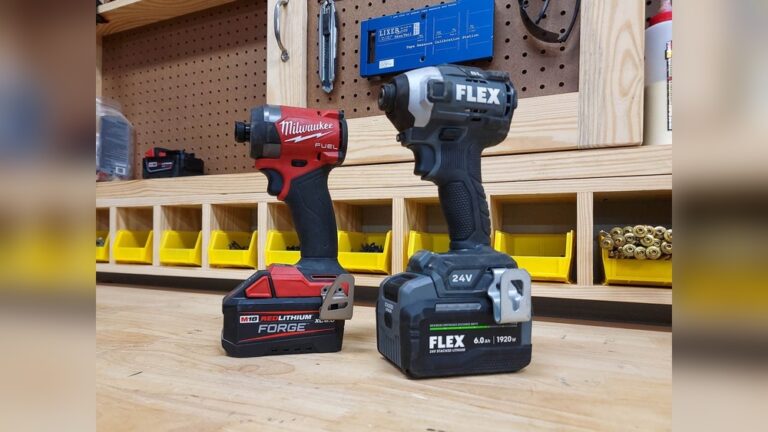
An impact driver looks like a drill driver but uses a different mechanism. Instead of just rotating, it delivers quick bursts of rotational force, called “impacts.” These impacts help drive screws and bolts into tough materials with less effort.
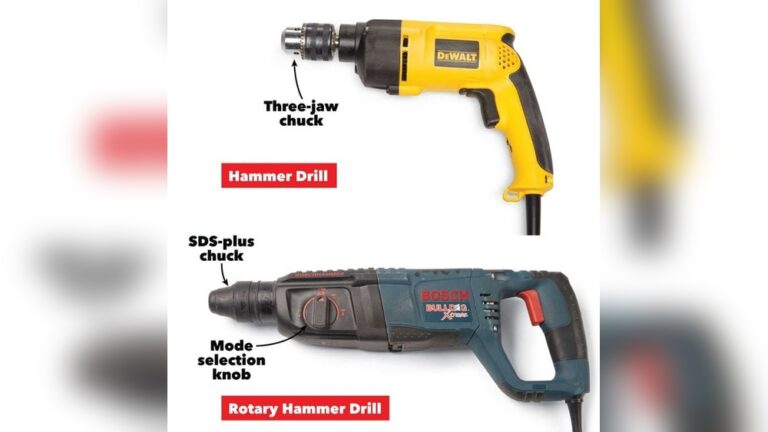
Ryobi’s impact drivers use a hex collet instead of a chuck. This means they only accept bits with a hexagonal shank—usually 1/4 inch. You can’t use standard round drill bits without a special adapter.
Key uses for a Ryobi impact driver:
- Driving long screws into hardwood or treated lumber
- Fastening lag bolts, self-tapping screws, and other heavy fasteners
- Removing stubborn screws or bolts that a drill can’t handle
The impact action reduces the chance of stripping screw heads. It also means the tool won’t twist your wrist as much, even when working with tough materials. However, impact drivers are not ideal for drilling precise holes, especially in delicate materials.

Credit: www.ryobitools.com
Key Differences Between Ryobi Drill Driver And Impact Driver
Although both tools spin and drive screws, their designs and functions are quite different. Here’s where the real differences show up.
Mechanism
- Drill driver: Uses a steady, constant rotation. Torque is controlled by the clutch.
- Impact driver: Uses rotational impacts (like a hammer turning the bit). No clutch.
Chuck/bit Holder
- Drill driver: Has a keyless chuck that accepts a wide range of round and hex bits.
- Impact driver: Has a quick-release hex collet. Only hex-shank bits fit.
Power And Torque
- Drill driver: Lower torque, better for delicate or precise work.
- Impact driver: Much higher torque, ideal for tough jobs.
Control And Precision
- Drill driver: Adjustable clutch for precise screw depth and less risk of stripping.
- Impact driver: No clutch. Powerful, but less precise for depth control.
Noise And Vibration
- Drill driver: Quieter, less vibration.
- Impact driver: Louder, produces noticeable vibration due to impact action.
Weight And Size
- Drill driver: Often larger and heavier, especially in higher voltage models.
- Impact driver: Usually more compact and lighter.
Let’s see these differences in a side-by-side format:
| Feature | Ryobi Drill Driver | Ryobi Impact Driver |
|---|---|---|
| Primary Function | Drilling & driving screws | Driving screws & bolts |
| Chuck Type | Keyless (round & hex bits) | Hex collet (hex bits only) |
| Torque | Lower, adjustable | High, not adjustable |
| Control | Clutch for depth control | No clutch |
| Noise Level | Quieter | Louder |
| Common Use | General drilling & light screwdriving | Heavy fasteners, tough materials |
Where Each Tool Excels
Understanding the strengths of each tool helps you pick the right one for your project.
Ryobi Drill Driver Strengths
- Versatility: Accepts many bit types for drilling and screwdriving.
- Precision: Adjustable clutch lets you stop driving at the right depth.
- Delicate Work: Works well for soft woods, drywall, and thin metals.
- Drilling Holes: Makes clean holes in many materials.
Example: Installing kitchen cabinet hardware or building a bookshelf. You need to drill pilot holes and drive screws with care to avoid splitting wood.
Ryobi Impact Driver Strengths
- Power: Drives long screws and lag bolts into thick or hard materials.
- Speed: Works much faster for repetitive screwdriving.
- Tough Jobs: Removes rusted or stubborn fasteners with less risk of stripping.
- Compact Size: Fits into tight spaces better.
Example: Building a deck. Driving hundreds of long screws into pressure-treated lumber requires power and speed.
Common Misunderstandings
Many people think an impact driver can replace a drill, or vice versa. While there’s some overlap, each tool has tasks it handles much better.
- Myth: Impact drivers are always better for driving screws.
- Reality: For delicate tasks (like assembling flat-pack furniture), a drill driver with a clutch is less likely to strip screws.
- Myth: Drill drivers are best for all drilling.
- Reality: Drill drivers can struggle with large holes in hard materials. For these, a hammer drill or impact driver with the right bit may be better.
- Myth: You can use regular drill bits in an impact driver.
- Reality: Most regular bits don’t fit or can break under impact force. Use only “impact-rated” bits in an impact driver.
When To Choose A Drill Driver
You should use a Ryobi drill driver if you:
- Need to drill precise holes in wood, plastic, drywall, or light metal.
- Want to drive screws with control and avoid overdriving.
- Work on projects where stripping screws would be a problem.
- Are assembling furniture or working with soft materials.
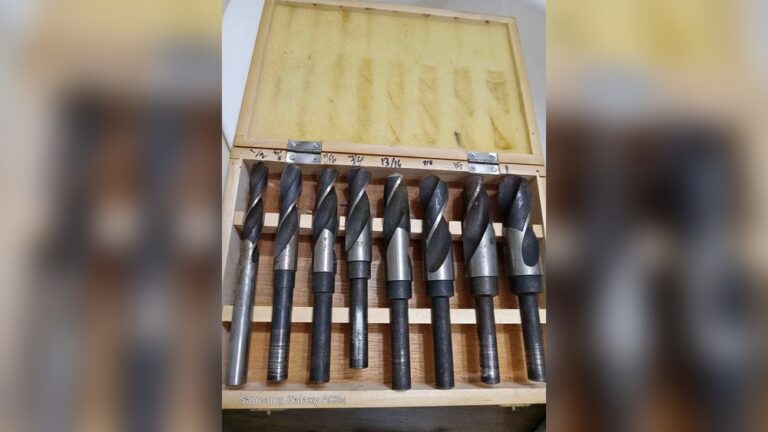
- Need to use a variety of bits, including spade bits, hole saws, or countersinks.
Pro Tip: For most homeowners, a drill driver is the best first tool. It covers the basics and is less likely to damage your project.
When To Choose An Impact Driver
A Ryobi impact driver is the better choice if you:
- Need to drive long screws or lag bolts into hard or thick materials.
- Work on construction projects, decks, fences, or framing.
- Remove stubborn screws or bolts that are rusted or stuck.
- Have a lot of screws to drive quickly.
- Need a compact tool for working in tight or awkward spaces.
Non-Obvious Insight: An impact driver reduces hand and wrist fatigue on tough jobs. The tool’s impact mechanism absorbs shock, so you don’t have to grip as tightly.
Can You Use Both Together?
Many professionals and serious DIYers own both tools and use them together. For example, when building a deck:
- The drill driver makes pilot holes to prevent wood from splitting.
- The impact driver quickly drives in long screws or bolts.
Switching between tools saves time and improves your results. If your budget allows, consider getting a Ryobi combo kit. These often include both tools, two batteries, and a charger—saving money compared to buying separately.
Comparing Ryobi Drill Driver And Impact Driver Models
Ryobi makes several models of both tools. Here’s a comparison of two popular models:
| Feature | Ryobi 18V ONE+ Drill Driver (P215) | Ryobi 18V ONE+ Impact Driver (P235A) |
|---|---|---|
| Chuck/Collet | 1/2″ Keyless | 1/4″ Hex |
| Max Torque | 340 in-lbs | 1,800 in-lbs |
| Speed (No Load) | 0-1,750 RPM | 0-2,800 RPM |
| Impacts Per Minute | N/A | 0-3,400 IPM |
| Weight (Bare Tool) | 2.6 lbs | 2.65 lbs |
| Clutch Settings | 24-position | None |
What does this mean? The impact driver is almost as light, much more powerful for driving, but less precise for drilling.
Real-world Scenarios
Hanging Drywall
- Drill driver: Good for drilling pilot holes and driving drywall screws with control.
- Impact driver: Can drive screws faster, but may overdrive or break drywall if not careful.
Building Furniture
- Drill driver: Best for drilling holes and driving screws without splitting or stripping.
- Impact driver: Useful for driving larger screws in hardwood, but be careful with delicate materials.
Deck Construction
- Drill driver: Great for pilot holes.
- Impact driver: Excellent for driving hundreds of deck screws or lag bolts fast and with less effort.
Auto Repairs
- Drill driver: Limited use, mostly for drilling or light screwdriving.
- Impact driver: Helpful for removing stubborn screws and bolts, especially with the right sockets.
Non-Obvious Insight: Using an impact driver on low-quality or worn screws can damage the screw head quickly. Always use good bits and proper screws to avoid this problem.
Accessories And Bit Compatibility
Drill Driver Accessories
- Twist drill bits (all sizes)
- Spade bits
- Hole saws
- Countersink bits
- Screwdriver bits (with hex shank or adapter)
Impact Driver Accessories
- Impact-rated screwdriver bits (hex shank only)
- Nut drivers
- Socket adapters (for bolts)
- Impact-rated drill bits (for limited drilling)
Pro Tip: Never use regular, non-impact-rated bits in an impact driver. They can shatter and pose a safety risk.
Cost Comparison
Ryobi is known for affordable, reliable tools. You’ll find that drill drivers and impact drivers are usually priced similarly, but factors like included batteries or kits can affect the cost.
- Drill driver (bare tool): Around $40–$60
- Impact driver (bare tool): Around $50–$70
- Combo kit (both tools, 2 batteries, charger): $100–$150
Buying a kit is often the best value, especially if you need both tools and batteries.
Battery System
Both the Ryobi drill driver and impact driver use the 18V ONE+ battery system. This means you can swap batteries between tools, which is convenient and saves money. If you already own other Ryobi ONE+ tools, you don’t need to buy new batteries.
Tip: Higher-capacity batteries (4.0Ah or more) let you work longer, especially with the impact driver, which uses more power for tough jobs.
Durability And Maintenance
Both tools are built to last, but there are a few things to keep in mind:
- Drill drivers: Less stress on the motor. With proper use, can last many years. Keep the chuck clean and avoid over-tightening.
- Impact drivers: The impact mechanism is rugged but can wear out with extreme use. Use only impact-rated bits and check for wear.
Maintenance tips:
- Keep tools clean and dry.
- Store batteries separately if not used for long periods.
- Avoid dropping tools.
- Inspect bits regularly for damage.
Safety Tips
Both tools are safe if used correctly, but there are some important points:
- Always wear eye protection when drilling or driving.
- Keep hands away from spinning bits.
- Use the right bit for the job.
- Let the tool do the work—don’t force it.
- Make sure your workpiece is secure.
Special note: Impact drivers are very loud. Use ear protection if you drive many screws or work in closed spaces.
Environmental Impact
Ryobi’s 18V ONE+ system reduces waste by allowing you to use one battery with many tools. This means fewer batteries and chargers end up in landfills. Additionally, lithium-ion batteries are more efficient and environmentally friendly than older types.
If your tool or battery fails, Ryobi offers recycling programs through select retailers. Be sure to dispose of batteries properly to protect the environment.
For more on power tool battery recycling, you can visit the Call2Recycle official website.

Credit: www.reddit.com
Which Tool Is Right For You?
If you mostly do light repairs, hang pictures, and assemble furniture, a drill driver is likely enough. If you tackle bigger projects, like building decks, fences, or working with thick hardwood, an impact driver is a better choice. For those who want the best of both worlds, a combo kit delivers the most value and flexibility.
Don’t fall into the trap of buying a tool based only on power or price. Think about the jobs you do most often. The right tool will save time, reduce frustration, and make your projects look more professional.
Frequently Asked Questions
What Is The Main Difference Between A Drill Driver And An Impact Driver?
The main difference is in how they deliver power. Drill drivers use steady rotation and are best for drilling holes and driving screws with control. Impact drivers use rapid bursts of rotational force, making them better for driving large screws or bolts into tough materials.
Can I Drill Holes With A Ryobi Impact Driver?
You can drill holes with an impact driver, but only if you use impact-rated hex-shank drill bits. Standard round drill bits don’t fit. For precise or clean holes, a drill driver is usually better.
Do I Need Both A Drill Driver And An Impact Driver?
Many DIYers and pros find having both tools makes work much faster and easier. Use the drill driver for drilling and precise screwdriving, and the impact driver for heavy driving tasks. Combo kits are a cost-effective way to own both.
Which Ryobi Tool Is Better For Beginners?
A Ryobi drill driver is better for beginners because it’s more versatile and less likely to damage materials. It’s perfect for most home repair and assembly tasks.
Are Ryobi One+ Batteries Interchangeable Between These Tools?
Yes, all Ryobi 18V ONE+ batteries work with both drill drivers and impact drivers, as well as over 100 other Ryobi tools.
Choosing between a Ryobi drill driver and an impact driver doesn’t have to be confusing. By focusing on your real needs and understanding each tool’s strengths, you can pick the right one for every project—and get the job done right the first time.

Credit: www.youtube.com