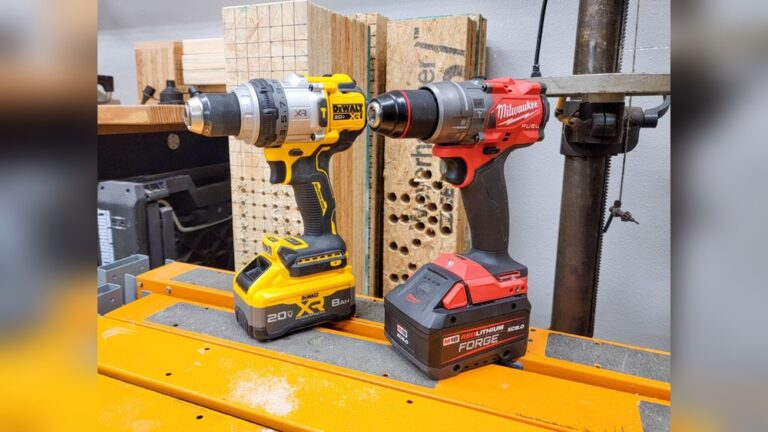
When you walk into a hardware store, you may feel overwhelmed by the rows of power tools. Among the most popular are the Ryobi drill and the Ryobi impact driver. Both tools look similar, sit side by side on shelves, and sometimes come in the same kit. But if you’re starting a DIY project, fixing up your home, or working on woodwork, you might wonder: What’s the difference? Which one do you really need? People often buy the wrong tool and struggle with simple tasks or even damage their materials. This guide will help you avoid those mistakes by showing the real differences, uses, and benefits of each tool. You’ll also learn how to pick the right Ryobi model for your needs, what features matter, and how to get the most value from your purchase.
What Is A Ryobi Drill?
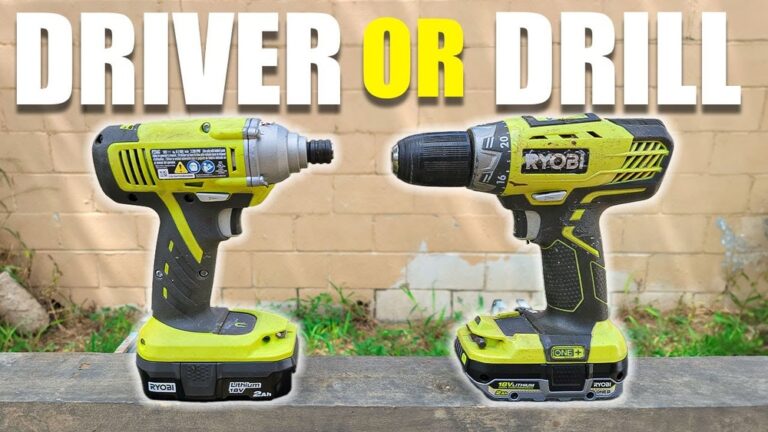
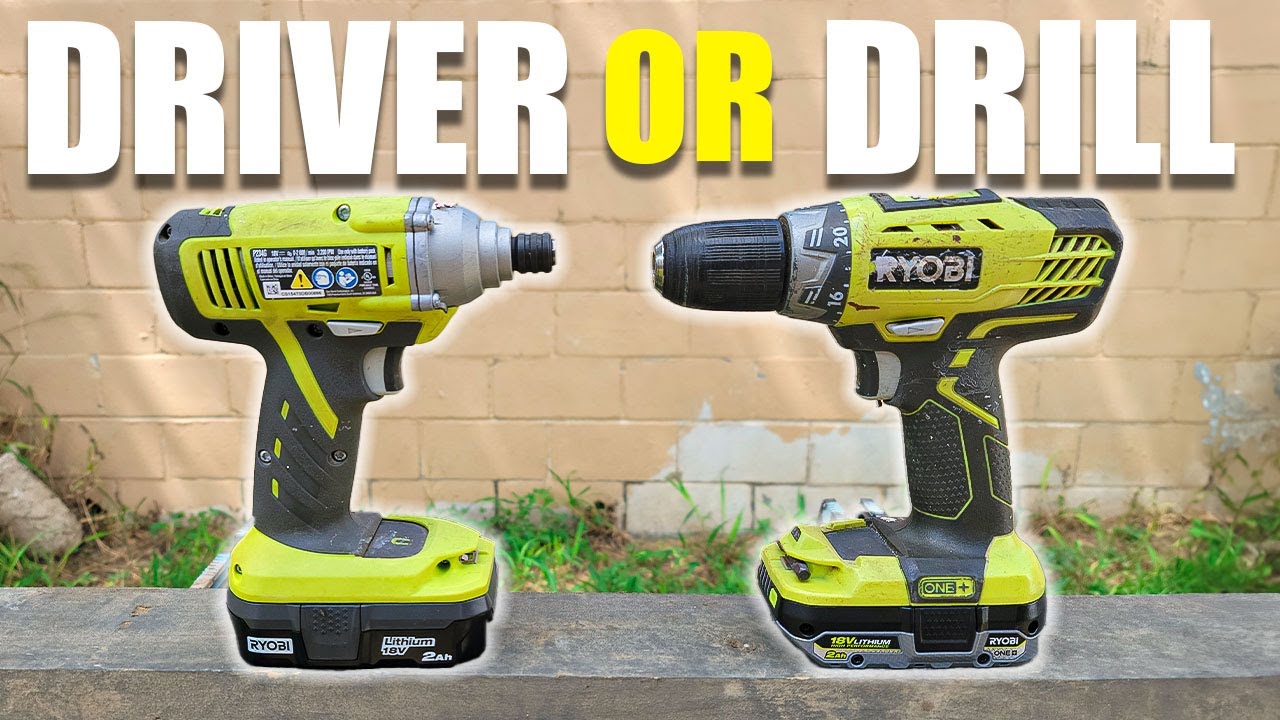
A Ryobi drill is a handheld power tool mainly used for making holes and driving screws. The most common types are drill/drivers. These tools have a chuck at the front that holds different bits for drilling into wood, metal, plastic, or even masonry.
Ryobi is a well-known brand, especially in the DIY and homeowner space. Their drills are famous for being affordable, reliable, and compatible with their One+ battery system. This means you can use the same battery across many Ryobi tools, which saves money and space.
Main Features Of Ryobi Drills
- Adjustable clutch: Lets you control the torque so you don’t overdrive screws.
- Variable speed trigger: You can start slow and go faster as needed.
- Keyless chuck: Allows quick bit changes without extra tools.
- Multiple gears: Usually two settings—one for high speed, one for high torque.
Typical Uses
Ryobi drills are great for:
- Drilling pilot holes in wood
- Installing shelves or cabinets
- Assembling furniture
- Making holes in drywall or thin metal
- Driving screws into soft materials
They’re the “all-rounder” in most toolboxes. If you’re hanging a picture or putting together a bookshelf, a Ryobi drill is usually your first choice.
What Is A Ryobi Impact Driver?
A Ryobi impact driver looks a lot like a drill, but it’s designed for a different job. Instead of a chuck, it has a hex collet that fits only hex-shank bits (usually 1/4 inch). The main difference is how it delivers power.
An impact driver combines rotational force with quick, strong “impacts” or bursts of torque. When the tool senses resistance, it uses a hammer-and-anvil system inside to deliver fast, short bursts of power. This makes it easy to drive long screws, bolts, or even lag screws into dense wood or metal.
Main Features Of Ryobi Impact Drivers
- High torque output: Much more twisting force than drills.
- Compact size: Usually shorter and lighter than drills.
- One-handed bit changes: Slide the bit in and out quickly.
- No adjustable clutch: You control power with the trigger.
Typical Uses
You’ll want a Ryobi impact driver for:
- Driving long screws into wood
- Fastening bolts into metal
- Building decks or fences
- Removing stubborn screws or bolts
- Any job where a drill struggles or stalls
It’s a specialist tool. While you can use it for some drilling (with special bits), it’s not as versatile as a drill for making holes.
Key Differences Between Ryobi Drill And Impact Driver
Many people think these tools are interchangeable, but they’re not. Here’s how they really compare:
| Feature | Ryobi Drill | Ryobi Impact Driver |
|---|---|---|
| Chuck Type | Keyless (accepts round/hex bits) | Hex collet (accepts only 1/4″ hex bits) |
| Torque | Lower (up to ~50 Nm) | High (up to ~180 Nm or more) |
| Speed Control | Multiple gears, clutch | Trigger control only |
| Best For | Drilling holes, light screwdriving | Heavy screwdriving, lag bolts |
| Noise Level | Quieter | Louder (due to impacts) |
| Versatility | High | Medium |
Performance In Different Materials
Ryobi drills perform well in soft materials: wood, drywall, and thin plastics. But when you move to dense wood or thick metal, the torque may not be enough. The clutch may slip, or the bit may stall.
A Ryobi impact driver shines in tough jobs. Its high torque and impact action drive long screws, lag bolts, or even stubborn fasteners with ease. But it’s not designed for drilling large, smooth holes—especially in metal or masonry.
Bit Compatibility
Drills accept almost any drill or driver bit with a round or hex shank. This makes them flexible for drilling, countersinking, or mixing paint.
Impact drivers require hex-shank bits. Standard round drill bits won’t fit unless you use special impact-ready drill bits with a hex base.
Non-obvious insight: Many beginners don’t realize that using regular drill bits in an impact driver can break the bit or damage the tool. Always use “impact-rated” accessories.
When Should You Use A Ryobi Drill?
Most homeowners and DIYers start with a Ryobi drill because it can handle many everyday jobs. You should use a drill when:
- You need clean, precise holes (for dowels, furniture, or electrical work).
- You’re driving small to medium screws into softwood or drywall.
- You want to avoid stripping screw heads (the adjustable clutch prevents over-driving).
- You need to use specialty bits (spade, hole saw, countersink, etc. ).
Ryobi drills are also better for delicate tasks. For example, when installing a door hinge, you don’t want too much force. The clutch lets you stop before the screw sinks too deep.
Practical tip: Set the clutch to a low setting for small screws. Increase the setting for bigger jobs.
When Should You Use A Ryobi Impact Driver?
A Ryobi impact driver is best for jobs where power and speed matter more than precision. Use an impact driver when:
- Driving long screws into hardwood, pressure-treated lumber, or decking.
- Installing lag bolts or large fasteners.
- Removing rusty or stuck screws.
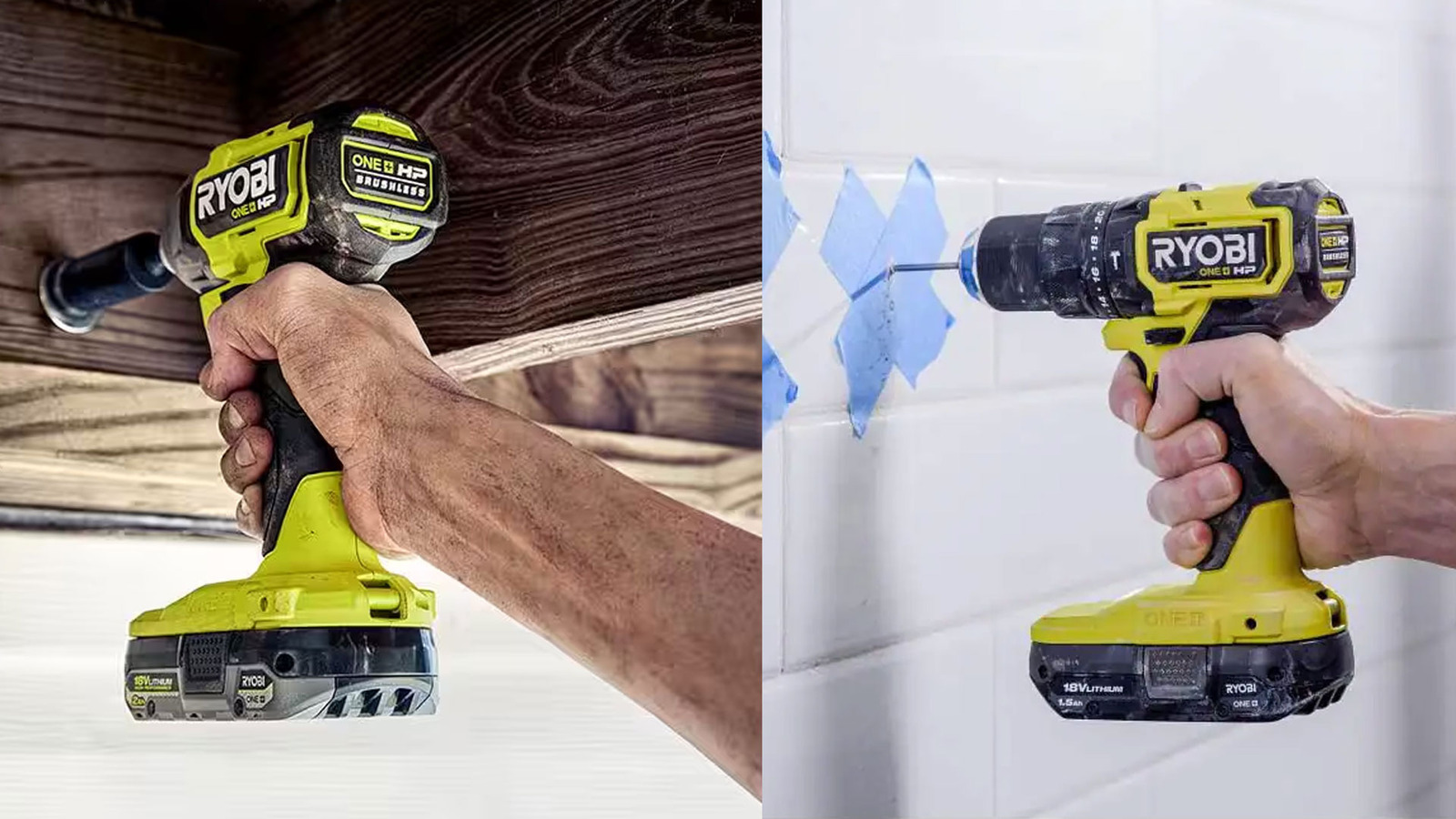
- Working overhead or in tight spaces (impact drivers are lighter and shorter).
If you’re building a deck or framing a wall, an impact driver will save your wrists and keep the job moving. It can drive hundreds of screws without getting tired or stalling.
Non-obvious insight: Impact drivers are much less likely to “cam out” (strip the screw head) compared to drills. This is because the impacts keep the bit engaged with the screw.
Can You Use A Ryobi Drill As An Impact Driver?
This is a common question, especially for people who want to save money or space. In some cases, you can use a Ryobi drill to drive screws, but you’ll notice:
- Slower driving speed for long or thick screws.
- More strain on your wrist and arm.
- Risk of burning out the drill motor if you push it too hard.
Drills lack the impact mechanism that makes tough jobs easier. For short screws or small projects, a drill is fine. For heavy-duty fastening, an impact driver is much better.
Real-world example: If you try to build a backyard deck using only a Ryobi drill, you’ll soon find the motor overheating and the battery draining quickly. An impact driver can handle this job all day.

Credit: www.ryobitools.com
Can You Use A Ryobi Impact Driver As A Drill?
An impact driver can make holes if you use hex-shank “impact-ready” drill bits. However, there are limits:
- Not suitable for large-diameter holes (like hole saws).
- Less control for delicate drilling.
- Can damage soft materials because of high torque.
If you need to drill a few small holes in wood, an impact driver works in a pinch. For regular drilling, stick with a drill.
Pro tip: Keep a small set of hex-shank drill bits in your kit for emergencies, but don’t use an impact driver as your main drill.
Pros And Cons Of Ryobi Drill
It’s helpful to see the strengths and weaknesses clearly:
Pros
- Versatile: Handles drilling and screwdriving in many materials.
- Adjustable clutch: Prevents over-tightening and material damage.
- Wide bit compatibility: Accepts almost any bit.
- Good for beginners: Easier to control, less likely to damage workpieces.
Cons
- Lower torque: Struggles with long screws or dense materials.
- Slower for big jobs: Not as fast as an impact driver for repetitive fastening.
- Heavier: Some Ryobi drills are bulkier than impact drivers.
Pros And Cons Of Ryobi Impact Driver
Now let’s look at the impact driver:
Pros
- High torque: Easily drives long or large screws.
- Compact and lightweight: Great for tight spaces or overhead work.
- Less wrist strain: The tool does the hard work.
- Faster: Speeds up big projects.
Cons
- Loud: Impact action makes more noise.
- Limited bit options: Only uses hex-shank bits.
- No clutch: Easier to overdrive screws if you’re not careful.
- Not ideal for drilling: Less control and precision.
Which Ryobi Tool Is Right For You?
Choosing between a Ryobi drill and an impact driver depends on what you do most. Here’s how to decide:
| User Type | Ryobi Drill | Ryobi Impact Driver |
|---|---|---|
| Beginner / Occasional DIYer | Best choice | Optional |
| Furniture Assembly | Excellent | Acceptable |
| Deck / Fence Building | Poor | Excellent |
| Automotive / Mechanical | Limited use | Very useful |
| Regular Home Repairs | Great | Good |
If You Have To Choose Just One
Go for a Ryobi drill if you:
- Need to drill holes often.
- Work with small to medium screws.
- Want a tool for many types of projects.
Choose a Ryobi impact driver if you:
- Drive long screws, lag bolts, or build with heavy wood.
- Want speed and power for big jobs.
- Already have a drill and want a second tool.
Pro insight: Many professionals and serious DIYers own both tools. Ryobi often sells them in combo kits to save money.
Ryobi Drill And Impact Driver Combo Kits
Ryobi offers several kits that include both a drill and an impact driver, plus batteries and a charger. These kits are popular because:
- You get two tools for less than buying separately.
- Both tools use the same batteries.
- You’re ready for almost any project.
Combo kits are ideal for new homeowners, people starting a tool collection, or anyone who wants to handle a wide range of tasks.
Example: The Ryobi 18V One+ Drill and Impact Driver Kit is a top seller. It includes:
- 1/2″ drill/driver
- 1/4″ impact driver
- Two 1.5Ah batteries
- Charger
- Carrying bag
How To Choose The Right Ryobi Model
Ryobi has many models, so it’s easy to get confused. Here’s what matters:
1. Power Source
- Cordless (18V One+): Most popular. Portable, uses the same battery as other Ryobi tools.
- Corded: Rare in newer Ryobi models. Only needed for nonstop heavy work.
2. Motor Type
- Brushed: Cheaper, good for light use.
- Brushless: More efficient, longer life, better for regular or heavy work.
3. Size And Weight
Pick a size that fits your hand and feels comfortable. Smaller models are easier for overhead or tight spaces.
4. Battery Life
Look for kits with at least 1. 5Ah batteries. Larger batteries (2. 0Ah or 4. 0Ah) last longer but add weight.
5. Features
- LED work light (helps in dark corners)
- Belt clip (for easy carrying)
- Multiple gear settings (drill)
- Bit holder (impact driver)
Common mistake: Don’t pay extra for features you won’t use. Focus on power, battery, and comfort first.
Credit: www.youtube.com
Safety Tips For Using Ryobi Drills And Impact Drivers
Power tools are safe if used correctly, but mistakes can cause injury or damage. Here’s how to stay safe:
- Wear eye protection. Bits can break, or material can fly up.
- Secure your workpiece. Use clamps to keep it from moving.
- Use the right bit for the job. Never force a bit or use a damaged one.
- Let the tool do the work. Don’t push too hard.
- Keep hands clear of moving parts. Especially when changing bits.
- Check battery charge. Low batteries can cause the tool to stall and jerk.
- Don’t over-tighten screws. Especially with impact drivers—stop when the screw is flush.
Pro tip: Learn the sound and feel of your tool. If it starts to strain, stop and check your bit or material.
Maintenance Tips For Longer Tool Life
Ryobi tools are reliable, but a little care helps them last years.
- Clean after use. Wipe dust and debris away.
- Check bits for wear. Dull bits make both tools work harder.
- Charge batteries regularly. Store them at room temperature.
- Lubricate moving parts (if the manual says).
- Store in a dry place. Moisture can damage the tool and battery.
Real-world User Experiences
Many people buy both a Ryobi drill and an impact driver after using each for a while. Here are a few stories that highlight what you might expect:
- Sarah, a homeowner: Bought a Ryobi drill for simple repairs and furniture. Later added an impact driver for building raised garden beds—noticed less fatigue and faster work.
- James, a contractor: Uses both daily. Drill for pilot holes, impact driver for fastening. Likes that both use the same batteries and are lightweight.
- Ali, a student: Bought a combo kit for school projects. Found the drill perfect for light work, but the impact driver saved time on heavier builds.
Insight: Many users say they didn’t realize how much easier an impact driver made big projects until they tried one. But for delicate jobs, the drill is still their go-to.
Cost Considerations And Value
Ryobi tools are famous for value. Here’s what to expect:
- Drill only: $40–$80 (bare tool), $70–$120 (with battery/charger)
- Impact driver only: $50–$90 (bare), $80–$130 (with battery/charger)
- Combo kits: $120–$180 (includes both tools, batteries, charger)
Ryobi’s One+ system means you can add tools without buying new batteries, saving money in the long run.
Non-obvious insight: Buying a combo kit is often cheaper than getting the two tools separately—even if you already have a battery.
Credit: www.slashgear.com
Environmental Impact
Ryobi batteries are rechargeable, which reduces waste compared to disposable batteries. The company also has recycling programs for old batteries. If you upgrade to a newer tool, you can still use your old One+ batteries, which reduces electronic waste.
Practical tip: Drop off old batteries at a Ryobi service center or hardware store for safe recycling.
Alternatives To Ryobi
If you’re considering other brands, here are the main competitors:
- DeWalt: More expensive, but often more powerful and rugged.
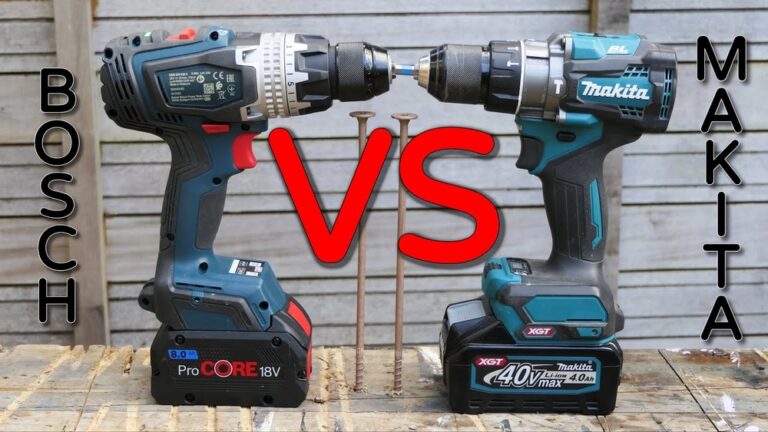
- Makita: Known for durability and performance.
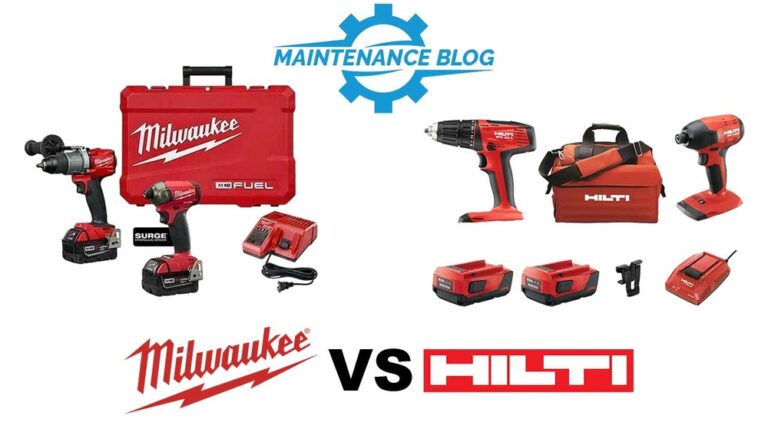
- Milwaukee: Popular with pros, higher price point.
- Black+Decker: Budget-friendly, but less power.
Ryobi stands out for value, battery compatibility, and wide availability for non-professionals.
For more details about power tool choices, check out this Wikipedia guide to impact drivers.
Frequently Asked Questions
What Is The Main Difference Between A Ryobi Drill And An Impact Driver?
The main difference is how they deliver power. A Ryobi drill is best for drilling holes and light screwdriving, using a steady, controlled rotation. A Ryobi impact driver uses high-torque impacts to drive long screws or bolts, making it better for heavy-duty fastening.
Can I Use Regular Drill Bits In A Ryobi Impact Driver?
No, standard drill bits with a round shank won’t fit. You must use hex-shank, impact-rated bits. Using the wrong bit can break the bit or damage the tool.
Is A Ryobi Impact Driver Too Powerful For Small Screws?
It can be. Impact drivers don’t have a clutch, so it’s easy to overdrive or strip small screws. Practice on scrap material and use a gentle trigger finger for delicate jobs.
Are Ryobi Drills And Impact Drivers Good For Professionals?
Ryobi tools are designed mainly for homeowners and DIYers, but many professionals use them for light to medium tasks. For heavy, daily use, brands like DeWalt or Milwaukee may offer more power and durability.
Can I Use One Ryobi Battery For Both Tools?
Yes. Ryobi’s One+ battery system works across all their 18V cordless tools. This makes it easy and affordable to expand your tool collection.
Choosing the right tool makes home projects faster, easier, and more enjoyable. Whether you start with a Ryobi drill, an impact driver, or both, understanding their strengths will help you work smarter and avoid frustration.