Power tools have revolutionized the way both professionals and DIY enthusiasts approach projects, making tasks that once required hours of manual effort efficient and precise. Among these tools, the drill and the drill driver frequently cause confusion due to their similar appearance and overlapping capabilities. However, understanding their unique strengths, limitations, and ideal use cases is essential for anyone seeking the best results, whether you’re assembling furniture, installing shelves, or tackling major construction.
Selecting the right tool can mean the difference between a seamless project and hours of frustration. This comprehensive guide unpacks the core differences, practical applications, and performance factors that set drills and drill drivers apart. By the end, you’ll have the clarity needed to choose the optimal tool for any task, backed by expert insights, real-world examples, and actionable recommendations.
Key Takeaways
- Drills excel at making holes in a wide range of materials, while drill drivers combine drilling with efficient screwdriving.
- Understanding torque, speed, and clutch settings is critical for matching the tool to your project.
- Both tools are essential for versatile workshops, but their strengths differ: Drills for precision drilling, drill drivers for fast assembly and cabinetry.
- Consider material, frequency of use, and ergonomics when choosing between the two.
- Real-world examples and comparison tables clarify performance and help guide your purchase decision.

Credit: www.findbuytool.com
What Is A Drill? Core Functions And Use Cases
A drill is a power tool primarily designed to create holes in various materials, including wood, metal, plastic, and masonry. The classic drill consists of a motor that spins a chuck, into which different drill bits are inserted. While modern drills may offer additional features, their fundamental role remains focused on drilling holes with accuracy and speed.
Basic Operation And Features
Most drills offer variable speed settings, allowing users to adjust the rotation per minute (RPM) based on material hardness and hole size. Corded drills provide consistent power and are favored for heavy-duty, extended use. Cordless models, powered by lithium-ion batteries, offer portability and are ideal for remote jobs or quick tasks.
Key features of modern drills:
- Variable speed trigger for precise control
- Keyless chuck for fast bit changes
- Reverse function for backing out bits or clearing jams
Best Use Cases For Drills
Drills are best suited for:
- Creating clean holes in wood for dowels or joinery
- Penetrating metal for pilot holes or fastener installation
- Drilling into masonry with specialized bits (in hammer mode)
- Mixing paint, mortar, or other materials with paddle attachments
Example: When installing curtain rods into drywall and wood studs, a drill provides the necessary torque to create precise pilot holes, reducing the risk of material cracking.
Limitations Of Standard Drills
While highly versatile, standard drills are not optimized for driving screws, especially in repetitive tasks. The lack of a clutch can result in overdriving screws, potentially damaging workpieces or the fastener itself. Additionally, extended screwdriving with a drill can lead to user fatigue due to less ergonomic design for this function.

Credit: www.youtube.com
What Is A Drill Driver? Capabilities And Advantages
A drill driver is a hybrid tool that combines the hole-drilling capability of a standard drill with efficient screwdriving functions. It’s engineered for tasks where both drilling and fastening are required, making it a staple for furniture assembly, cabinetry, and general construction.
Key Features And Innovations
Drill drivers incorporate several enhancements over basic drills:
- Adjustable clutch: Allows users to set torque levels, preventing overdriving screws or damaging materials.
- Two-speed gearbox: Facilitates quick switching between high-speed drilling and high-torque driving modes.
- Compact design: Improves ergonomics, allowing for extended use with less fatigue.
Example: Assembling flat-pack furniture often requires switching rapidly between drilling pilot holes and inserting screws. The drill driver’s clutch prevents stripping screws, ensuring a secure fit.
Drill Driver Use Cases
Drill drivers excel in:
- Repetitive screwdriving in cabinetry, decking, and framing
- Assembly of manufactured furniture and fixtures
- Fastening drywall to wood or metal studs
- Installing hardware such as hinges and brackets
Limitations Of Drill Drivers
While drill drivers are highly versatile, they may not deliver the same raw drilling power as high-end corded drills, especially in dense masonry or metal. The clutch mechanism adds bulk, and the tool may be less suited for applications requiring deep, large-diameter holes.

Credit: www.youtube.com
Key Differences: Drill Vs Drill Driver
Understanding the distinctions between drills and drill drivers is vital for selecting the right tool for your needs. Below is a side-by-side comparison of their main attributes:
| Feature | Drill | Drill Driver |
|---|---|---|
| Primary Function | Drilling holes | Drilling and screwdriving |
| Clutch Mechanism | Rarely included | Standard feature |
| Torque Control | Limited | Adjustable |
| Speed Settings | Single or variable | Multiple (2+) |
| Best For | Precision drilling | Assembly, fastening, general use |
| Ergonomics | Basic | Optimized for comfort |
Torque And Speed: Why They Matter
Torque is the rotational force delivered by the tool, crucial for driving screws into dense material. Drill drivers allow you to adjust torque with a clutch, reducing the risk of cam-out or material damage. Speed (RPM) affects drilling efficiency; higher speeds are better for small holes, while lower speeds and higher torque are preferable for driving fasteners.
Clutch Settings: Preventing Overdriving
The clutch on a drill driver disengages the motor when a preset torque limit is reached. This feature is essential for delicate work, such as attaching cabinet hinges or securing drywall, where overdriving could split the wood or strip the screw head.
Ergonomics And User Fatigue
Drill drivers are typically lighter and more balanced, with rubberized grips designed for extended use. In my experience, switching from a standard drill to a well-designed drill driver significantly reduced wrist fatigue during a 200-screw decking project.
Deep Dive: Types, Variants, And Specialized Features
Both drills and drill drivers come in various types and configurations, tailored for specific tasks and professional requirements.
Corded Vs Cordless Tools
- Corded drills offer unlimited runtime and consistent power, ideal for demanding tasks.
- Cordless models provide mobility and convenience, with battery technology advancements delivering longer runtime and faster charging.
Pro Tip: For contractors and frequent users, investing in a cordless tool system with interchangeable batteries can streamline workflow and reduce downtime.
Hammer Drills And Impact Drivers
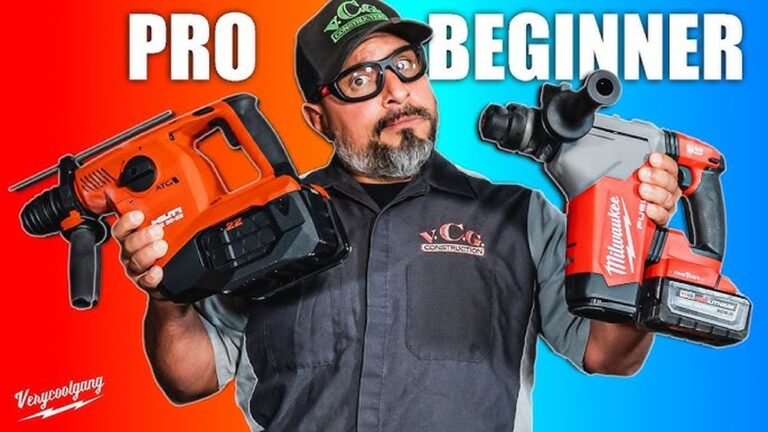
- Hammer drills add a percussive action for drilling into masonry and concrete. They are distinct from drill drivers and not intended for screwdriving tasks.
- Impact drivers are optimized for high-torque screwdriving, using concussive force to drive long or stubborn fasteners without stripping heads.
Example: Installing wall anchors in brick requires a hammer drill, while building a deck frame benefits from an impact driver’s torque for lag bolts.
Smart And Brushless Motor Technology
- Brushless motors enhance efficiency, extend tool lifespan, and reduce maintenance needs.
- Smart features such as electronic speed control and Bluetooth connectivity are emerging in premium models, offering real-time diagnostics and customization.
Chuck Types And Compatibility
Drills and drill drivers may use different chuck designs:
- Keyless chucks allow quick bit changes by hand.
- Hex chucks (found on some drill drivers) accept screwdriver bits and are ideal for rapid bit swapping.
Performance In Real-world Scenarios
The choice between a drill and a drill driver often comes down to specific project requirements. Below are concrete examples illustrating the strengths and limitations of each tool.
Example 1: Kitchen Cabinet Installation
When attaching cabinets to studs, accuracy and secure fastening are paramount. A drill is used to make precise pilot holes, preventing wood splitting. Switching to a drill driver with a mid-range clutch setting ensures that screws are driven flush without damaging the cabinet or wall.
Example 2: Home Theater Mounting
Mounting a TV bracket to drywall and masonry requires both a drill (with a masonry bit) for anchor holes and a drill driver for driving lag screws. The ability to change torque settings on the drill driver avoids over-tightening and ensures a secure, level installation.
Example 3: Outdoor Deck Building
For framing a deck, repeated driving of large screws into treated lumber is necessary. An impact driver (a specialized drill driver variant) delivers the torque required, while a standard drill is reserved for creating pilot holes to minimize wood splitting.
Choosing The Right Tool: Application-based Recommendations
Selecting the most effective tool involves evaluating the materials, project scope, and frequency of use.
For Woodworking Projects
Woodworkers benefit from both tools: a drill for clean, accurate holes and a drill driver for assembling joints and fixtures. When working with hardwoods, torque control on the drill driver prevents fastener breakage.
For Metalworking And Masonry
Drills with high RPM and hammer functionality are preferred for metal and masonry. Drill drivers may struggle in these environments unless specifically rated for heavy-duty use.
For Homeowners And Diy Enthusiasts
A drill driver offers the best versatility for most household tasks, from hanging curtains to assembling furniture. Its compact size and adjustable clutch make it safe and effective for users of all skill levels.
For Professional Contractors
Pros often carry both tools: a high-powered drill for demanding holes and a drill driver for fast, repetitive fastening. Investing in brushless, cordless models ensures maximum uptime and reliability.
Safety, Maintenance, And Longevity
Proper use and care extend the life of both drills and drill drivers while ensuring user safety.
Safe Operation Practices
- Always wear safety glasses when drilling.
- Secure workpieces with clamps to prevent movement.
- Start at a low speed to avoid bit slippage.
Maintenance Tips
- Regularly clean and lubricate the chuck and moving parts.
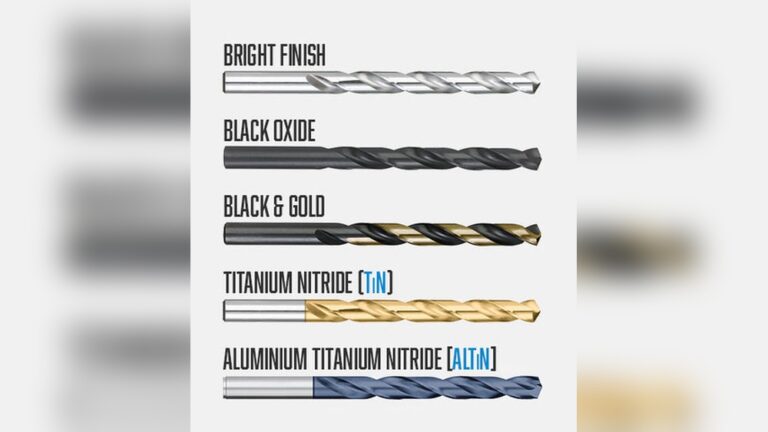
- Replace worn bits promptly to maintain performance.
- Store batteries in a cool, dry place to prolong lifespan.
Longevity Factors
Brushless motors and smart electronics reduce wear and tear, while higher-end models from reputable brands are less prone to overheating or failure. Consult the manufacturer’s manual for recommended service intervals.
Cost, Value, And Brand Considerations
The investment in a drill or drill driver depends on features, build quality, and brand reputation. Below is a data-driven comparison of typical price ranges and value factors:
| Tool Type | Entry-Level Price | Professional Price | Key Value Features |
|---|---|---|---|
| Drill | $30, $70 | $100, $300 | High RPM, durable chuck, corded/cordless options |
| Drill Driver | $40, $90 | $120, $350 | Adjustable clutch, brushless motor, dual speed |
Leading Brands And Warranty
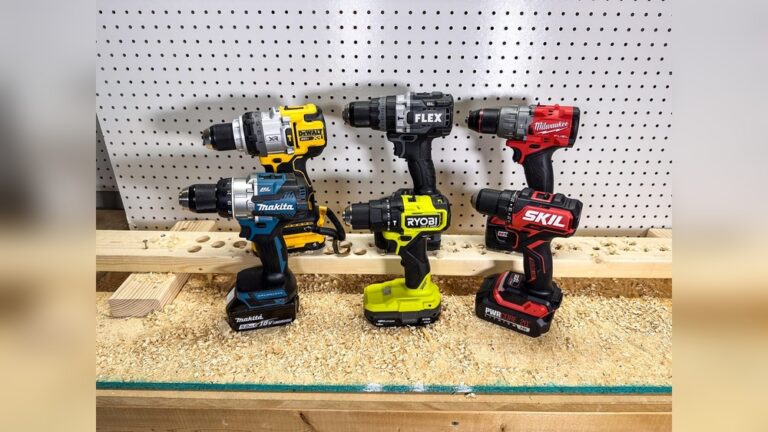
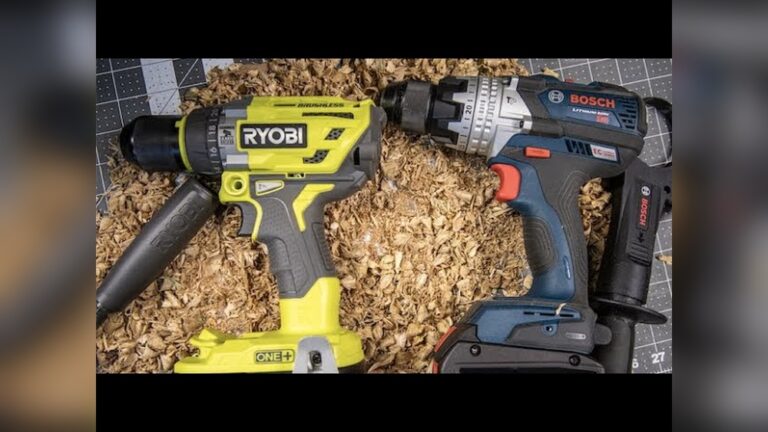
Top brands such as DeWalt, Makita, Milwaukee, and Bosch offer extended warranties and robust customer support. Reading independent reviews and consulting resources like Consumer Reports helps identify models with the best reliability and value.
Battery Compatibility And Ecosystems
For cordless tools, consider battery system compatibility. Investing in a platform (e. g. , DeWalt 20V MAX or Milwaukee M18) allows you to share batteries across multiple tools, reducing long-term costs.
Pro Tip:
Look for kits that bundle a drill, drill driver, batteries, and charger. These sets often provide better value than purchasing tools separately.
Environmental Impact And Energy Efficiency
The shift towards brushless motors and lithium-ion batteries has improved energy efficiency and reduced environmental impact for both drills and drill drivers.
Battery Recycling And Disposal
Proper disposal of lithium-ion batteries is critical. Many manufacturers and retailers participate in recycling programs. For guidance, consult the EPA’s battery recycling page.
Energy Efficiency Advances
Brushless motors draw less current, producing less heat and extending battery life. Advanced chargers now feature automatic shut-off to prevent overcharging, further reducing energy waste.
Sustainable Manufacturing
Leading brands are adopting recycled materials and energy-efficient production practices. When choosing a tool, consider the manufacturer’s environmental commitments as part of your decision-making process.
Frequently Asked Questions
What’s The Main Difference Between A Drill And A Drill Driver?
While both tools can make holes, a drill specializes in drilling with higher speed and often greater power, making it ideal for tough materials. A drill driver combines drilling with adjustable torque for screwdriving, thanks to its clutch mechanism, making it more versatile for assembly tasks and fastening.
Can I Use A Drill Driver For All My Drilling Needs?
A drill driver can handle most light to medium-duty drilling and fastening jobs. However, for specialized tasks such as drilling large holes in concrete or metal, a dedicated drill (especially with hammer mode) is more effective due to higher power and targeted features.
Are Drill Drivers And Impact Drivers The Same Tool?
No. Drill drivers are designed for drilling and general screwdriving with adjustable torque. Impact drivers deliver much higher torque using a hammering action, making them better for heavy-duty fasteners and dense materials. They are not ideal for drilling precise holes.
How Important Is The Clutch On A Drill Driver?
The clutch is a key feature for preventing overdriving screws, which can damage materials or strip fasteners. It is especially useful for delicate work, repetitive tasks, and working with variable material densities.
Should I Invest In Both A Drill And A Drill Driver?
For frequent or professional use, owning both tools maximizes versatility and efficiency. A drill excels at creating clean holes in tough materials, while a drill driver streamlines assembly and fastening. For occasional users, a quality drill driver covers most common household tasks.
Choosing between a drill and a drill driver comes down to understanding your projects, materials, and the level of control you need. By weighing the unique strengths and limitations of each tool, as detailed in this guide, you can ensure your toolbox is equipped for success, whether you’re a seasoned contractor or a weekend DIYer.