Every DIY enthusiast, homeowner, and professional contractor faces the same dilemma at some point: choosing the right tool for the job. The debate between a drill and a driver is a common one, and understanding the differences is crucial for efficiency, safety, and achieving top-notch results. Whether you’re assembling furniture, mounting shelves, or tackling construction projects, selecting the right tool can make all the difference in how quickly and smoothly the task goes.
Both drills and drivers have evolved considerably, with modern models offering advanced features, powerful motors, and ergonomic designs. However, their core functionalities, applications, and technical specifications remain distinctly separate. Knowing when to use a drill versus a driver is not just about preference, it affects the quality of your work and the lifespan of your tools. This article unpacks the critical differences, explores real-world examples, and provides data-driven comparisons to ensure you make informed decisions every time you pick up a power tool.
Key Takeaways
- Drills are designed for making holes, while drivers specialize in fastening screws and bolts.
- Each tool excels in specific tasks; using the wrong one can damage materials or slow down projects.
- Understanding torque, RPM, and clutch settings is key to choosing the right tool.
- Real-world examples show how tool selection impacts efficiency and results.
- Comprehensive comparison tables help clarify technical differences for buyers.
- Investing in the correct tool saves time, reduces frustration, and improves safety.

Credit: www.youtube.com
Understanding Drills: Functions, Types, And Features
A drill is a versatile power tool primarily used for creating holes in various materials. Its adaptability has made it a staple in workshops and homes worldwide, but its true value lies in its technical capabilities and range of applications.
Basic Functions And Mechanisms
Drills operate by rotating a bit at high speeds, allowing users to bore holes into wood, metal, plastic, masonry, and more. The most common types are corded and cordless drills. Cordless models, powered by lithium-ion batteries, are favored for their portability and ease of use.
Key features of drills include:
- Variable speed control for precise drilling.
- Adjustable clutch to prevent over-driving screws or damaging material.
- Hammer function in hammer drills for masonry work.
Types Of Drills
There are several drill variants, each tailored for specific tasks:
- Standard drill: Ideal for wood, plastic, and light metal.
- Hammer drill: Adds a percussive action for drilling into concrete and stone.
- Rotary drill: Designed for larger holes and heavy-duty applications.
- Right-angle drill: Useful in tight spaces or awkward angles.
Technical Specifications
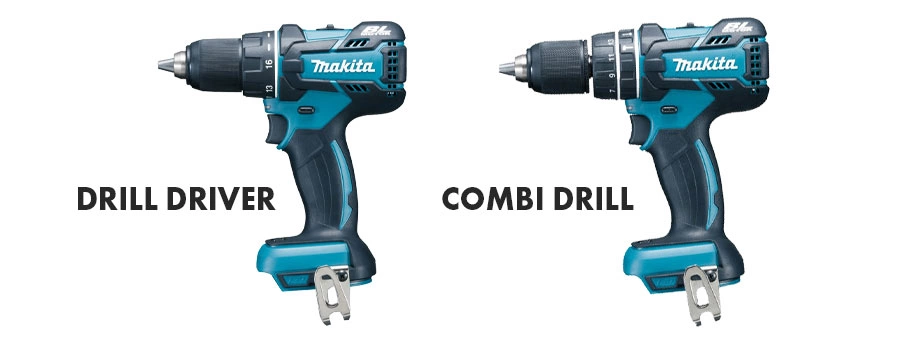
Modern drills range from 12V to 20V and higher, with RPM (rotations per minute) typically between 500 and 2000. Higher RPM facilitates faster drilling but may sacrifice torque. The clutch mechanism, often with 10, 20 settings, allows users to adjust torque for delicate operations.
Pro Tip: For drilling into hard materials like masonry, always use a hammer drill with the appropriate bit, as standard drills lack the necessary impact force.
Credit: soinspalliatifspaca.com
Drivers: Purpose, Types, And Key Features
A driver, more specifically an impact driver or screwdriver, is designed to drive screws, bolts, and fasteners. Its compact size and high torque output make it indispensable for assembly, construction, and repair tasks.
What Sets Drivers Apart
The defining feature of drivers is their ability to deliver high torque at lower RPMs, making them perfect for fastening applications. Impact drivers use a combination of rotational force and concussive blows to drive screws efficiently, especially in tough materials.
Features include:
- Quick-release chuck for fast bit changes.
- Compact design for working in confined spaces.
- High torque output, often exceeding 1500 in-lbs.
Types Of Drivers
There are three main driver categories:
- Manual screwdriver: Basic tool for simple tasks.
- Electric screwdriver: Powered, lightweight, best for repetitive jobs.
- Impact driver: High torque, ideal for heavy-duty fastening and construction.
Technical Comparison
Drivers typically operate at 12V to 20V with RPMs between 1000 and 3000, but their real strength lies in torque. Impact drivers offer variable speed triggers and electronic controls for precision.
Example: When assembling a deck, using an impact driver ensures that long screws penetrate wood without cam-out or damaging the screw head, unlike a drill that may struggle with torque-intensive tasks.

Credit: www.gib.es
Comparing Drills And Drivers: Data-driven Insights
Selecting between a drill and a driver depends on several technical and practical factors. Understanding these differences helps users avoid costly mistakes and achieve professional results.
Performance Metrics
Let’s examine their core specifications:
| Feature | Drill | Driver (Impact) |
|---|---|---|
| Primary Function | Drilling holes | Driving screws/fasteners |
| Torque (in-lbs) | 200, 600 | 1200, 2000 |
| RPM Range | 500, 2000 | 1000, 3000 |
| Chuck Type | Keyless/Adjustable | Hex/Quick-release |
| Clutch Settings | 10, 20 | None (some have electronic controls) |
| Weight (lbs) | 3, 5 | 2, 4 |
| Battery Voltage | 12V, 20V | 12V, 20V |
| Best Use Case | Boring holes, light fastening | Heavy-duty fastening |
Application Suitability
- Drills excel at precision tasks and drilling holes of various sizes.
- Drivers shine when high torque is needed for fastening, especially in repetitive or challenging conditions.
Example: Installing drywall requires hundreds of screws. An impact driver speeds up the process, reduces fatigue, and minimizes screw stripping compared to a standard drill.
Limitations And Advantages
Drills may lack torque for large fasteners, while drivers can’t handle large drill bits or boring tasks. Using the right tool avoids stripped screws, broken bits, and wasted time.
Pro Tip: For most household projects, owning both a drill and a driver covers nearly all fastening and drilling needs.
Real-world Scenarios: Case Studies And Practical Examples
Understanding the difference between a drill and a driver is best illustrated through real-world examples. Here are three scenarios that highlight their unique strengths.
Furniture Assembly
When assembling flat-pack furniture, precision and speed matter. In my experience, using a driver to fasten screws ensures clean, flush finishes and avoids over-tightening. For pre-drilled holes, a drill is unnecessary, but for creating new holes, a drill with a wood bit is essential.
Deck Construction
Contractors building decks often start by drilling pilot holes using a drill, then switch to an impact driver for driving long deck screws. This two-tool method prevents wood splitting and ensures secure fastening. According to a survey by Fine Homebuilding, over 70% of professionals use this combination for outdoor projects.
Home Renovation
During kitchen remodels, tasks range from installing cabinets to hanging drywall. Drills are used to make holes for plumbing and electrical installations, while drivers handle the mounting of hardware and fixtures. This division of labor saves time and reduces tool wear.
Pro Tip: When working with delicate materials, use a drill with a low clutch setting to avoid damaging surfaces.
Technical Comparison: Drill Vs. Driver Specifications
To further illustrate the differences, here is a detailed comparison of technical specifications:
| Specification | Drill | Impact Driver |
|---|---|---|
| Motor Type | Brushed or Brushless | Brushless (common) |
| Bit Compatibility | Round, hex, specialty bits | 1/4″ hex bits |
| Noise Level (dB) | 65, 75 | 80, 100 |
| Maximum Fastener Size | Up to 3″ screws | Up to 6″ lag bolts |
| Precision Control | High (variable clutch) | Medium (variable trigger) |
| Vibration | Moderate | High |
| Price Range | $50, $200 | $80, $250 |
Choosing The Right Tool: Factors To Consider
Selecting between a drill and a driver involves more than just function, it’s about matching the tool to the job, material, and user skill level.
Task Requirements
- Drilling holes: Use a drill, especially for varying hole sizes and materials.
- Fastening screws: Use a driver for repetitive or high-torque tasks.
- Heavy-duty construction: Impact drivers outperform drills for lag bolts and dense materials.
Material Compatibility
Different materials require specific tools:
- Wood: Drills for boring, drivers for fastening.
- Metal: Drills with metal bits for holes, drivers for self-tapping screws.
- Concrete/Brick: Hammer drills for holes, drivers for masonry anchors.
Warning: Using a drill to drive large fasteners can burn out the motor or damage the chuck. Always match tool power to task demands.
User Experience And Ergonomics
- Drills: Often heavier, but balanced for vertical drilling.
- Drivers: Lightweight, optimized for horizontal fastening.
Example: For overhead tasks, such as mounting ceiling fixtures, a driver’s compact design reduces fatigue and improves accuracy.
Budget And Versatility
Consider cost and versatility:
- Drills: Broad range of tasks, suitable for beginners.
- Drivers: Specialized, may require additional bits.
Pro Tip: Combo kits with both tools offer the best value and cover most household and professional needs.
Maintenance And Longevity: Caring For Your Tools
Proper maintenance extends the lifespan and performance of drills and drivers. Neglecting care can lead to malfunction, reduced efficiency, and safety hazards.
Routine Maintenance
- Clean after each use: Remove dust and debris from vents and chucks.
- Inspect batteries: Recharge regularly and store in cool, dry places.
- Lubricate moving parts: Use manufacturer-recommended lubricants for smooth operation.
Storage And Safety
- Store upright: Prevents accidental drops and damage.
- Use protective cases: Shields tools from moisture and impact.
- Check for wear: Replace worn bits and chucks immediately.
Example: A study by Consumer Reports found that regular cleaning and battery maintenance can extend tool life by up to 30%.
Troubleshooting Common Issues
- Drill stalls: May indicate excessive force or bit dullness.
- Driver slips: Check bit compatibility and torque settings.
Pro Tip: Always consult the user manual for troubleshooting and maintenance schedules.
Innovations And Future Trends In Power Tools
The power tool industry is rapidly innovating, merging technology with traditional craftsmanship. Drills and drivers are at the forefront of these changes.
Battery Technology
Advancements in lithium-ion batteries have increased run times, reduced charge times, and improved tool performance. Smart batteries now offer real-time diagnostics and Bluetooth connectivity.
Brushless Motors
Brushless motors are more efficient, generate less heat, and last longer. They are becoming standard in high-end drills and drivers, offering greater torque and control.
Ergonomic Design
Manufacturers focus on reducing weight, improving grip, and adding safety features. Tools now include LED lights, anti-slip handles, and vibration dampening.
Example: Milwaukee’s ONE-KEY system allows remote tool tracking and customization, enhancing productivity and security.
Smart Features
Digital controls and integrated sensors enable users to adjust torque, monitor battery life, and receive maintenance alerts. This technology is shaping the future of precision and safety in power tools.
For more information on innovations and trends, visit Tools of the Trade.
Buying Guide: How To Select The Best Drill Or Driver
Navigating the power tool market can be daunting. Here’s a concise guide to making the best purchase decision.
Assessing Your Needs
- Project scope: Determine whether you need to drill holes, drive screws, or both.
- Frequency of use: Occasional users may opt for entry-level models; professionals require durable, high-performance tools.
- Material types: Choose tools with appropriate power and features for wood, metal, masonry, or composites.
Evaluating Features
- Battery life: Longer run times for extended projects.
- Torque and RPM: Higher torque for fastening, higher RPM for drilling.
- Ergonomics: Comfortable grip, balanced weight, and intuitive controls.
Comparing Brands And Models
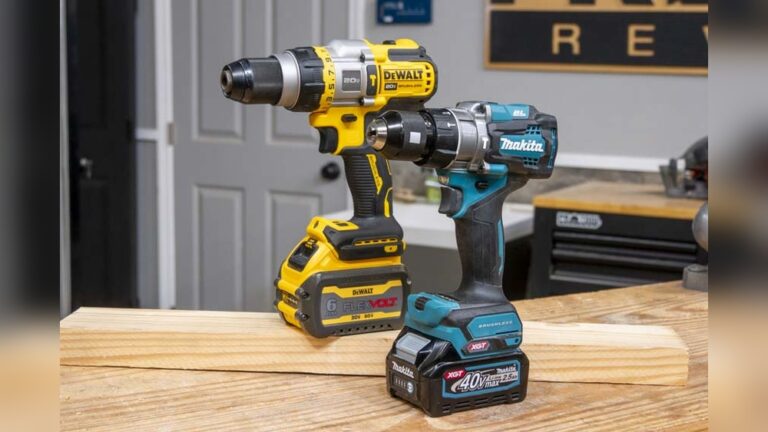
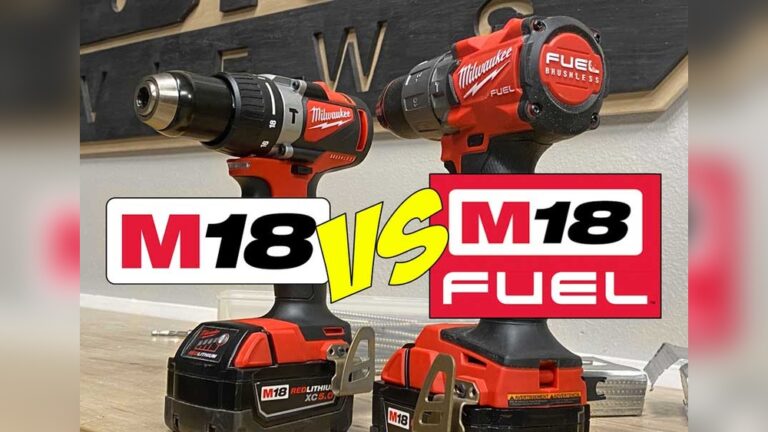
Reputable brands like DeWalt, Makita, and Milwaukee offer quality and reliability. Compare warranty, service options, and user reviews.
| Brand | Drill Model | Driver Model | Warranty |
|---|---|---|---|
| DeWalt | DCD791D2 | DCF887B | 3 years |
| Makita | XFD10R | XDT13 | 3 years |
| Milwaukee | 2801-20 | 2850-20 | 5 years |
Price Vs. Value
- Entry-level: $50, $100, suitable for home use.
- Mid-range: $100, $200, ideal for frequent DIYers.
- Professional: $200+, best for contractors and heavy-duty applications.
Pro Tip: Check for combo kits or bundles, which often include both a drill and a driver, spare batteries, and accessories at a discounted price.
For an authoritative overview of tool ratings and comparisons, visit Consumer Reports.
Frequently Asked Questions
What Is The Main Difference Between A Drill And A Driver?
The main difference is their intended purpose. Drills are designed to create holes in various materials, while drivers, particularly impact drivers, are optimized to drive screws and fasteners with high torque. Drills offer variable speed and clutch settings for precision, whereas drivers deliver consistent torque and often feature quick-change chucks for efficient fastening.
Can A Drill Be Used As A Driver, Or Vice Versa?
While a drill can drive screws, it lacks the torque and efficiency of a dedicated driver, especially for large or repetitive tasks. Some drills come with screwdriver bits and clutch settings, but they may strip screws or struggle with tough materials.
Conversely, drivers are not suitable for drilling holes, as their mechanism is not designed for boring tasks.
Which Tool Should I Buy First For Home Use?
For most homeowners, a drill is the more versatile first purchase. It handles a wide range of tasks, from drilling holes to light fastening. However, if your projects involve frequent or heavy-duty fastening (like deck construction or furniture assembly), investing in a driver or a combo kit is wise.
How Do I Maintain Power Tools For Maximum Longevity?
To extend tool life, clean after each use, inspect batteries regularly, and store tools in a dry, protected area. Lubricate moving parts as recommended by the manufacturer and replace worn bits promptly. Avoid overloading the motor or using the wrong tool for the job, as this can cause premature wear or damage.
Are There Safety Concerns When Using Drills Or Drivers?
Yes, safety is crucial. Always wear eye protection, secure workpieces, and use the correct bit for the material. Avoid over-tightening fasteners, which can lead to bit breakage or material damage. Keep hands clear of moving parts and ensure tools are powered off when changing bits. For tasks involving masonry or metal, use appropriate drill bits and follow manufacturer guidelines.
Whether you’re a seasoned contractor or a weekend DIYer, understanding the difference between a drill and a driver is fundamental to successful projects. By choosing the right tool, matching it to the task, and maintaining it properly, you’ll achieve better results, save time, and work safely.
The distinctions outlined here should empower you to make informed decisions, enhance your productivity, and enjoy the process of creating and building.