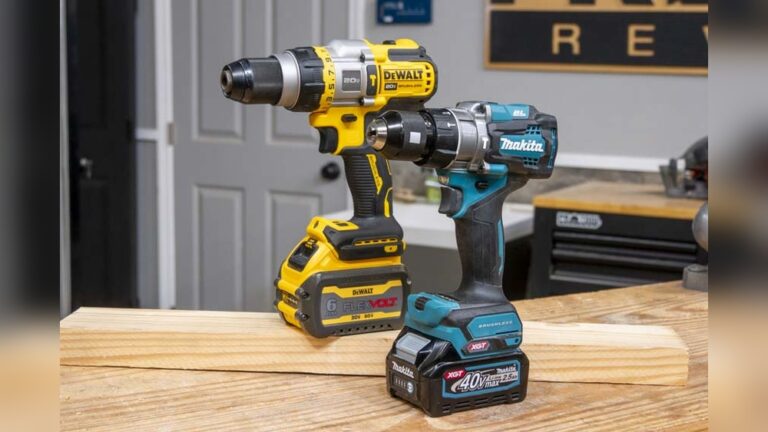
When you stand in the tool aisle looking at Makita’s power tools, you’ll often see two similar-looking drills: the hammer drill and the driver drill. At first glance, they both look sturdy, blue, and ready for any job. But when it comes to choosing the right tool, the details matter. If you pick the wrong one, you could end up frustrated, wasting time, or even damaging your material. The truth is, these drills have different strengths and are built for different tasks. Understanding these differences will save you money, effort, and even your drill’s lifespan.
In this guide, you’ll discover not just what sets the Makita Hammer Drill apart from the Makita Driver Drill, but when, where, and why to use each. You’ll get real-life examples, practical advice, and honest comparisons—so you can make a smart decision, whether you’re a DIY beginner or a seasoned pro. Let’s break down the confusion and put power in your hands.
What Is A Makita Hammer Drill?
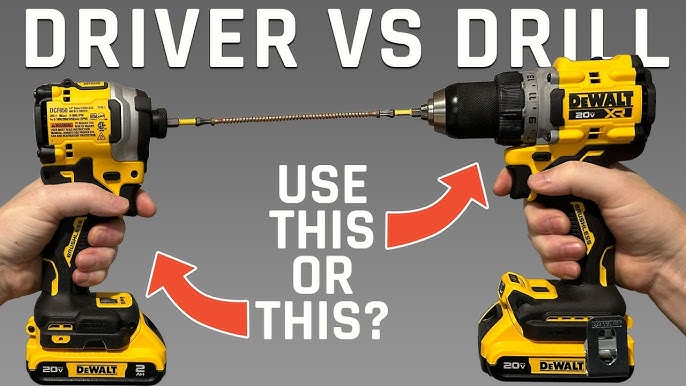
A Makita Hammer Drill is a power tool designed for drilling into tough materials like concrete, brick, and stone. It combines two actions: rotation (like a standard drill) and a rapid hammering motion. This hammering action helps the drill bit break up hard surfaces while spinning, making it much easier to make holes in masonry.
Makita’s hammer drills are known for their robust build, strong motors, and innovative features. Most models allow you to switch off the hammer function, turning the tool into a regular drill when you need it.
Key Features Of Makita Hammer Drills
- Hammering Mechanism: Small pistons inside the drill create rapid, forward-thrusting blows (thousands per minute).
- Variable Speed Control: Lets you adjust speed for different materials.
- High Torque: Provides strong rotational force for tough jobs.
- Clutch Settings: Offer various torque levels for drilling or driving.
- Mode Selector: Switch between hammer, drill, and sometimes driver modes.
- Ergonomic Design: Comfortable grip for extended use.
Makita’s hammer drills often have advanced electronics to prevent motor burn-out, LED lights for dark spaces, and brushless motors for longer life.
Typical Uses For Makita Hammer Drills
- Drilling anchor holes in concrete walls
- Installing shelves on brick surfaces
- Making holes for wiring in stone foundations
- Occasional drilling in wood or metal (when hammer mode is off)
Pros And Cons
Pros:
- Handles tough materials with ease
- Versatile—can switch off hammer for general drilling
- Durable for heavy-duty work
Cons:
- Heavier and bulkier than driver drills
- More expensive
- Overkill for simple wood or drywall tasks
What Is A Makita Driver Drill?
A Makita Driver Drill is a more general-purpose tool. Its main job is to drill holes and drive screws into softer materials like wood, plastic, and metal. Unlike the hammer drill, it does not have a hammering action. This makes it lighter, easier to handle, and ideal for everyday use.
Key Features Of Makita Driver Drills
- Rotational Action Only: No hammering, just spinning.
- Two Main Modes: Drill and driver (for screws or bolts).
- Adjustable Clutch: Controls torque to prevent overdriving screws.
- Compact Size: Easier to use in tight spaces and overhead.
- Lightweight Build: Reduces fatigue during long use.
Makita’s driver drills are known for their smooth operation and reliability. Many models include features like quick-change chucks, LED lights, and brushless motors.
Typical Uses For Makita Driver Drills
- Assembling furniture
- Hanging pictures or curtains
- Installing cabinets
- Drilling pilot holes in wood or metal
- Driving screws into drywall
Pros And Cons
Pros:
- Lightweight and easy to control
- Perfect for everyday home tasks
- More affordable than hammer drills
Cons:
- Cannot drill into concrete, brick, or stone effectively
- Less powerful for heavy-duty jobs
Makita Hammer Drill Vs Driver Drill: Core Differences
Choosing between these two Makita tools comes down to understanding their main differences. Here’s a side-by-side look at the key factors.
| Feature | Makita Hammer Drill | Makita Driver Drill |
|---|---|---|
| Drilling Action | Rotary + Hammering | Rotary Only |
| Materials Handled | Concrete, Brick, Stone, Wood, Metal | Wood, Metal, Plastic |
| Weight | Heavier | Lighter |
| Versatility | More (can switch modes) | Less (no hammer action) |
| Cost | Higher | Lower |
| Best For | Masonry, heavy-duty tasks | Woodwork, general use |
A Closer Look At Performance
- Power and Torque: Hammer drills deliver more power and torque, needed for challenging surfaces.
- Control: Driver drills offer better control for delicate work, reducing the chance of damaging materials.
Noise And Vibration
Hammer drills produce more noise and vibration because of their hammering mechanism. This can cause hand fatigue during long use. Driver drills are much quieter and smoother.
Longevity And Maintenance
Hammer drills usually have stronger internal parts to handle stress, but they may require more regular maintenance if used heavily. Driver drills last a long time with lighter tasks and need less upkeep.
When Should You Choose A Makita Hammer Drill?
You should pick a Makita Hammer Drill if your work involves:
- Drilling into masonry: For projects like installing anchors in concrete, hanging shelves on brick, or running wires through stone.
- Heavy-duty renovation: Breaking up old tile, removing stubborn screws in hard material, or drilling large holes.
- Versatility needs: If you want one tool that can handle both tough jobs and normal drilling.
- Frequent outdoor or site work: Construction sites often require hammer drills for varied materials.
Practical Example
If you’re mounting a TV on a brick fireplace, a driver drill will struggle or fail completely. The hammer drill, with the right masonry bit, will cut through the brick quickly.
Non-obvious Insight
Even if you only need a hammer drill once in a while, having it in your toolkit can save you from renting or borrowing. But remember: using the hammer mode on soft materials (like wood) can split or damage them—always switch off the hammer function for delicate work.
When Should You Choose A Makita Driver Drill?
A Makita Driver Drill is your go-to if:
- Most of your work is in wood, drywall, or metal: Assembling furniture, making shelves, fixing cabinets.
- You want a lighter, more portable tool: For tasks above your head, or for small projects.
- Precision is important: Driver drills give you gentle control for tasks like driving screws into thin materials.
- Budget is a concern: Driver drills cost less but still do 90% of home tasks.
Practical Example
If you’re putting together a flat-pack bookshelf, the driver drill’s clutch settings let you drive screws without stripping them. Using a hammer drill here would be overkill—and heavier to hold for long periods.
Non-obvious Insight
Many people try to “make do” with a hammer drill for everything. This can wear out the tool faster and makes simple tasks more tiring. If you rarely work with masonry, a driver drill is the smarter, longer-lasting choice.
Head-to-head: Real-world Comparison
Let’s compare the two Makita drills in a few common scenarios.
Scenario 1: Hanging Kitchen Cabinets
- Wall Material: Drywall over wood studs
- Task: Drill pilot holes, drive long screws
Driver Drill: Fast, easy to control. No need for hammer function. Lighter to hold above your head.
Hammer Drill: Works, but heavier. Unless you hit a concrete wall, the extra power isn’t needed.
Winner: Driver Drill
Scenario 2: Installing Outdoor Lighting On Brick Wall
- Wall Material: Brick
- Task: Drill holes for anchors
Driver Drill: Struggles, might overheat, or damage the bit.
Hammer Drill: Handles brick easily with masonry bit. Quick and efficient.
Winner: Hammer Drill
Scenario 3: Building A Garden Shed
- Material: Wood panels, sometimes metal brackets
- Task: Drill holes, drive screws
Driver Drill: Light, comfortable, perfect for repeat tasks.
Hammer Drill: Works, but unnecessary bulk. Might fatigue your hand.
Winner: Driver Drill
Popular Makita Hammer Drill Models
Makita offers several popular hammer drills, each with unique strengths.
- Makita XPH07Z
- 18V LXT Lithium-Ion Brushless
- Up to 1,090 in.lbs. Of torque
- All-metal gear construction
- Great for pros needing serious power
- Makita XPH12Z
- 18V LXT Brushless
- Lightweight at 4.2 lbs. With battery
- 2-speed transmission
- Good balance of power and portability
- Makita HP1641
- Corded, 6.0 amp motor
- Variable speed (0–2,800 RPM)
- Dual mode: Hammering with rotation or rotation only
- Makita XRH01Z
- Rotary hammer style (for even tougher jobs)
- 3-mode operation
- SDS-PLUS chuck for quick bit changes
These models cover everything from heavy construction to home renovation.
Popular Makita Driver Drill Models
Makita’s driver drills are trusted for their reliability and comfort.
- Makita XFD131
- 18V LXT Brushless
- 440 in.lbs. Of torque
- Weighs only 3.8 lbs. With battery
- Great for all-around home use
- Makita DF012DSE
- 7.2V Lithium-Ion
- Ultra-compact, perfect for tight spaces
- Clutch settings for precision
- Makita XFD10Z
- 18V LXT
- 480 in.lbs. Of torque
- All-metal gears for durability
- Makita FD07R1
- 12V max CXT
- Compact and lightweight
- Good for light-duty and overhead work
Credit: www.youtube.com
Choosing The Right Drill: Factors To Consider
When deciding between a Makita hammer drill and a driver drill, keep these factors in mind:
1. Material
- Concrete, Brick, Stone: Hammer drill required.
- Wood, Metal, Plastic: Driver drill is sufficient.
2. Frequency Of Use
If you’re only occasionally drilling masonry, you might rent a hammer drill. If you do it often, owning one makes sense.
3. Portability
Driver drills are smaller and easier to carry, especially for overhead or ladder work.
4. Budget
Hammer drills cost more, especially brushless or rotary models. Driver drills offer better value for general use.
5. Power Source
Makita offers both corded and cordless options. Cordless drills give more freedom but need battery management.
6. Tool Life And Maintenance
Using the wrong drill for the wrong material can shorten its life. Hammer drills need more maintenance if used heavily.
7. Bit Compatibility
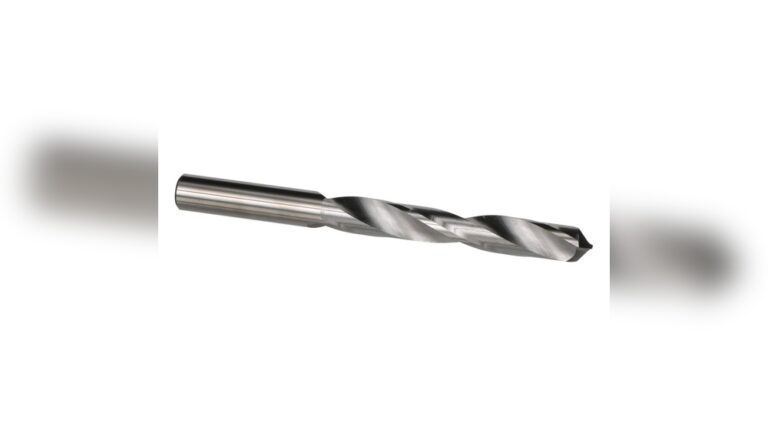
Hammer drills need masonry bits for concrete. Driver drills use standard bits for wood and metal.
Common Mistakes When Choosing Or Using Drills
- Using a driver drill on masonry: This can burn out the motor and ruin your bits.
- Using a hammer drill on wood in hammer mode: This splits wood and causes rough holes.
- Ignoring torque settings: Overdriving screws can strip threads or damage surfaces.
- Not matching the bit to the material: Wrong bits can break or dull quickly.
- Forgetting safety gear: Hammer drilling produces dust and noise—always wear eye and ear protection.

Credit: www.youtube.com
How To Maintain Your Makita Drill For Long Life
Proper care extends the life of any power tool.
- Clean vents regularly to prevent overheating.
- Check and replace brushes if your drill has a brushed motor.
- Lubricate the chuck and moving parts as recommended.
- Store in a dry place to avoid rust or battery damage.
- Use the correct charger for cordless models—cheap chargers can ruin batteries.
- Let the tool rest after heavy use to prevent overheating.
A well-maintained Makita drill can last many years, even with regular use.
Environmental And Safety Considerations
Hammer drilling creates more dust and noise. Always:
- Wear a dust mask, especially with concrete or stone.
- Use ear protection to prevent hearing damage.
- Secure your workpiece before drilling.
- Keep hands and clothing away from moving parts.
Makita designs most of their tools with built-in safety features, but the user must always follow proper safety practices.
Price Comparison: Makita Hammer Drill Vs Driver Drill
A quick look at average prices (as of 2024):
| Type | Entry-Level Price (USD) | Pro-Grade Price (USD) |
|---|---|---|
| Hammer Drill | $120–$180 | $220–$350 |
| Driver Drill | $70–$130 | $150–$220 |
Prices depend on features, battery size, and whether the kit includes extra accessories.
Upgrade Paths: When To Get Both
Many professionals and serious DIYers eventually own both a hammer drill and a driver drill. Here’s why:
- Saves time: You can keep a driver bit in one drill and a masonry bit in the other, switching instantly.
- Reduces tool wear: Each tool does what it’s designed for, lasting longer.
- Boosts productivity: Tackle any material or project without stopping.
If your projects are growing in complexity, consider building a two-drill kit.
The Makita Advantage
Makita is famous for reliability, innovation, and comfort. Their tools are used globally, from home workshops to major construction sites. With features like brushless motors, advanced batteries, and sturdy chucks, Makita drills are an investment that pays off in performance and durability.
For more about Makita’s history and technology, check their official website.
Final Thoughts
Choosing between a Makita Hammer Drill and a Makita Driver Drill isn’t just about power—it’s about the right tool for the right job. The hammer drill shines with masonry and hard surfaces, while the driver drill excels at everyday tasks. Assess your main needs, think about future projects, and invest wisely. The right Makita drill will save you time, energy, and frustration for years to come.

Credit: makitatools.com
Frequently Asked Questions
What Is The Main Difference Between A Makita Hammer Drill And A Driver Drill?
The main difference is the hammering action. A hammer drill adds a rapid pounding motion to the rotation, making it effective for concrete, brick, and stone. The driver drill only spins, which is perfect for wood, metal, and plastic.
Can I Use A Makita Hammer Drill As A Regular Drill?
Yes. Most Makita hammer drills have a mode selector to turn off the hammer function. This lets you use it as a standard drill for wood or metal. However, it may be heavier and less comfortable than a dedicated driver drill for long tasks.
Are Makita Driver Drills Strong Enough For Home Renovation?
For most home renovations involving wood, drywall, or metal, a Makita driver drill is powerful enough. But if you need to drill into concrete or brick, you’ll need a hammer drill.
What Kind Of Drill Bits Do I Need For Each Drill?
Use masonry bits for hammer drills when working with concrete or brick. For driver drills, use wood, metal, or general-purpose bits. Never use wood bits on masonry, as they can break or dull quickly.
Is It Worth Owning Both A Hammer Drill And A Driver Drill?
If you do varied DIY or professional work, owning both saves time and extends tool life. You can keep different bits in each and use the right tool for each material, making your work faster and safer.